Documentation
Nucleus has a comprehensive API that is fully documented using Swagger. API documentation can be accessed from within your Nucleus instance. Once logged in, view the top right navigation. Access the API documentation by clicking on the Help menu ‘?’ and select the option for API Docs button in .
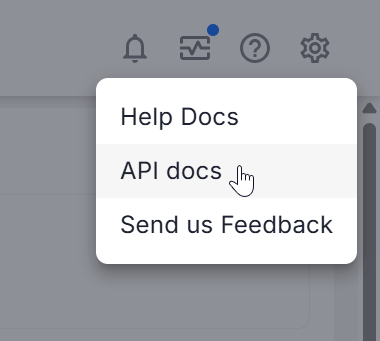
Access
Generating a User API Key
Users with API Access can create their own API key.
API Key Expiration
A user's API Key will remain valid unless they regenerate a new one or until the user is deleted/disabled.
Follow these steps to generate an API key for your user account:
Log into your Nucleus console.
In the top right of the screen, click on the User icon and then click User Profile.
If this is your first time using an API key, click Generate API Key.
Click the Copy icon to copy the API key to your clipboard.
Generating a Service Account API Key
Nucleus organization administrators can create service account API keys.
Follow these steps to create a service account and generate an API key:
Navigate to the Global Dashboard > Global Administration > Users.
In the top row, click Add API Account.
Enter an API Account Username. This account will only have API access.
Select the project(s) that the account will have access to.
For each project, assign the account a Role within it. See Defining new roles for creating a new role with different permissions.
Click Create Account.
Find the newly created account in the Users list, and under the Actions column click the icon View API Key For Account.
Click Show API Key.
Copy the API key and click Close.
Using the API Key
Navigate to the API documentation page from the top right navigation of the Nucleus console under Help > API Docs.
.png)
The swagger-based Nucleus API documentation will open in a separate tab
Click Authorize
Paste your API Key into the pop-up and click Save
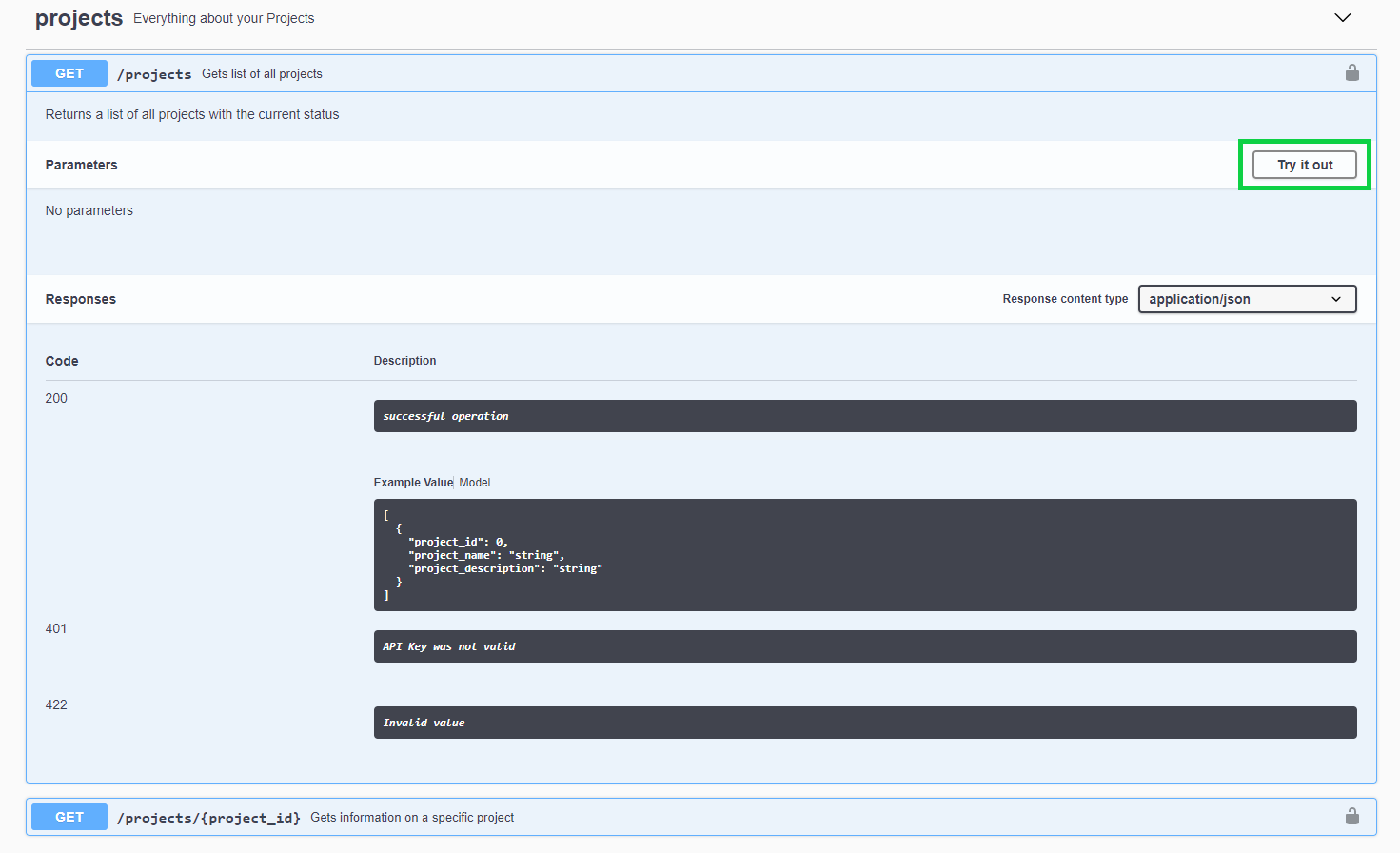
You can now test all the calls in the Nucleus documentation by clicking on the Try it out button in each of the API sections.
If you have any questions, please contact us through the support center.