Overview
One of the most important phases of the vulnerability management lifecycle is vulnerability prioritization. Vulnerability scanning vendors typically provide excellent vulnerability context (typically severity, CVSS score, exploitability, etc.), however they are often blind to the business context of the assets impacted by each vulnerability. Nucleus provides a customized risk score (scale of 0 - 1000) that combines the vendor provided vulnerability information with asset and business context provided by the organization, to ensure you know which vulnerabilities present the most risk to the organization.
The following steps outline how the Nucleus customized risk scoring algorithm works.
If you are looking for the Custom Risk Score module, please check out the Custom Risk Score Overview
Step 1 - Vulnerability Score
Nucleus first calculates a vulnerability score for each vulnerability based on the information provided by the scanning vendor (e.g. severity, CVSS score, ease of exploit, exploit availability, etc.) and other sources of vulnerability intelligence (e.g. NVD). Note, vulnerability attributes such as Severity, are editable in Nucleus, meaning changes to vulnerability attributes you make during vulnerability analysis and triage are factored into the Nucleus risk score.
Step 2 - Asset Risk Score
Next, Nucleus calculates the risk score of the impacted asset based on custom risk attributes provided by the organization (can be automated) including:
Business criticality
Data sensitivity
Public-Facing (determined automatically by Nucleus based on IP address)
Compliance-Scope (Is the asset in scope for a compliance audit)
Custom risk attributes can be set manually from the Global Dashboard > Select your project > Assets > Asset Management page.
Click any asset to see the Asset data page.
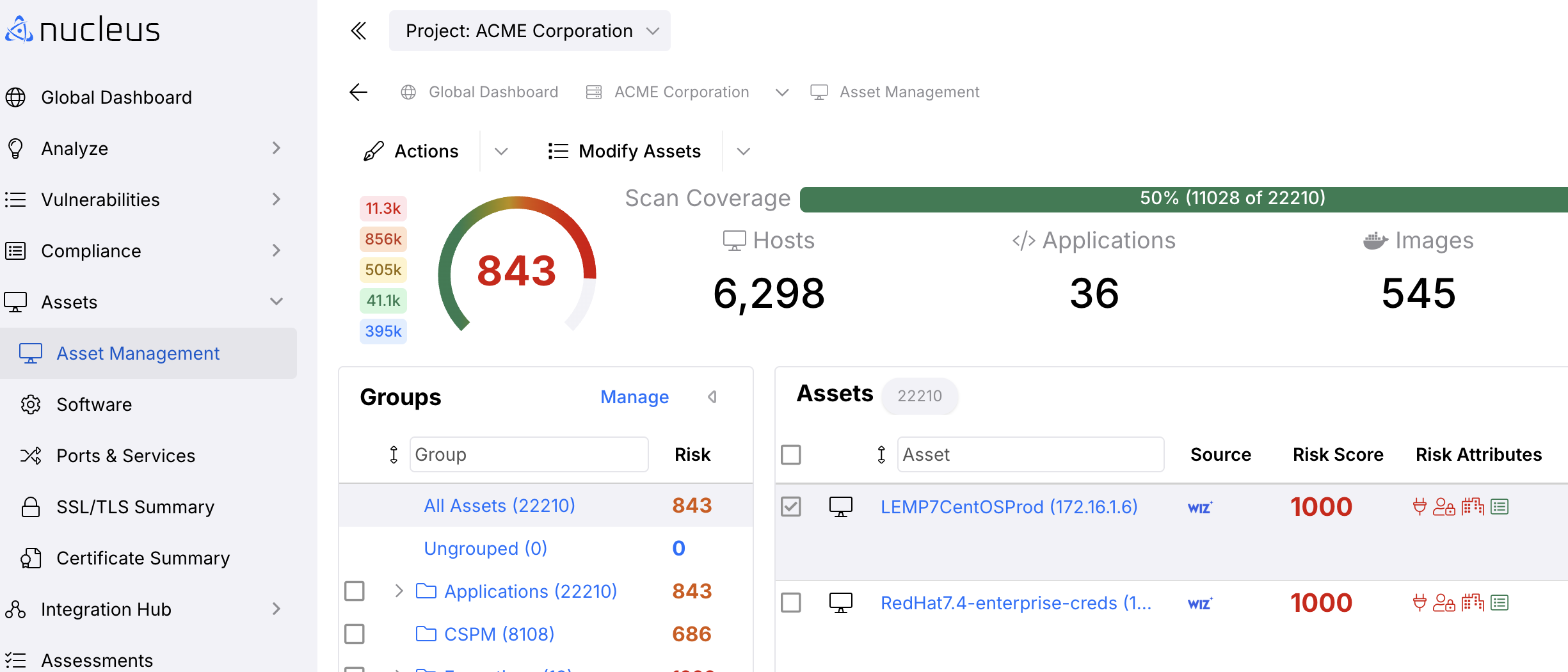
On the Asset data page click Edit to view the Edit Asset pop-up modal.
In the pop-up modal set the attributes using the drop-down menus to ensure vulnerabilities on this asset are prioritized correctly.
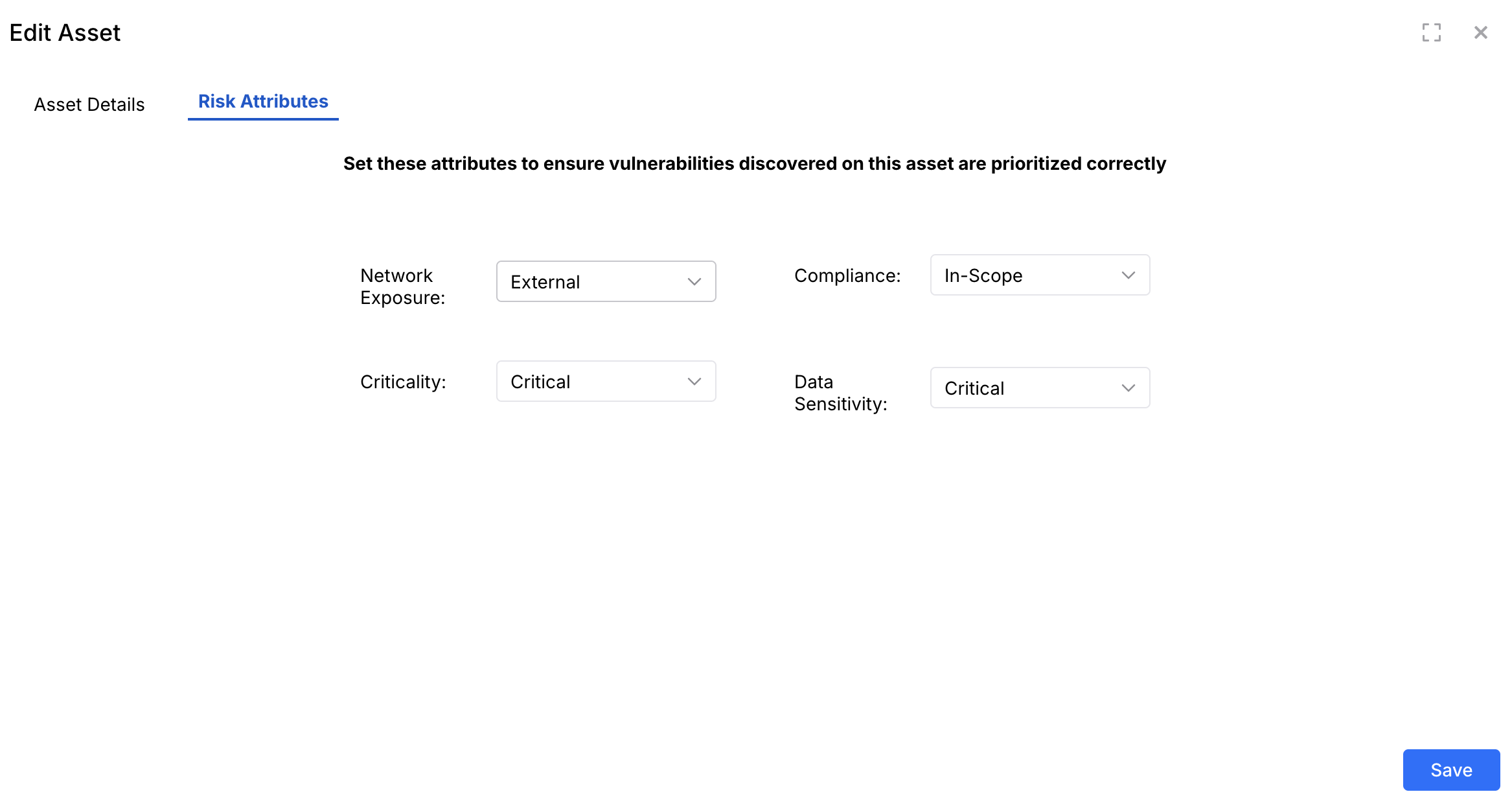
Click Save and finish.
Step 3 (Optional) - Risk Attribute Weights
We realize that every organization prioritizes vulnerabilities differently. Nucleus allows the user to tell Nucleus what asset criteria are most important to your organization when it comes to prioritizing vulnerabilities. Risk attributes can be weighted 0 - 10 at the Organization or Project level, based on how heavily you want them weighted in the Nucleus risk scoring algorithm.
.png)
Step 4 - Automatic Vulnerability Prioritization
Nucleus automatically prioritizes your vulnerabilities based on the combination of the Vulnerability Score, Asset Risk Score, and the risk attribute weights configured by the organization. To see your top risk vulnerabilities, go to the Vulnerabilities > Top Risks page. This is the page that lists which vulnerability on which asset poses the greatest risk to you based on all the criteria that Nucleus knows.
.png)