Self-Managed Deployment (Single Organization)
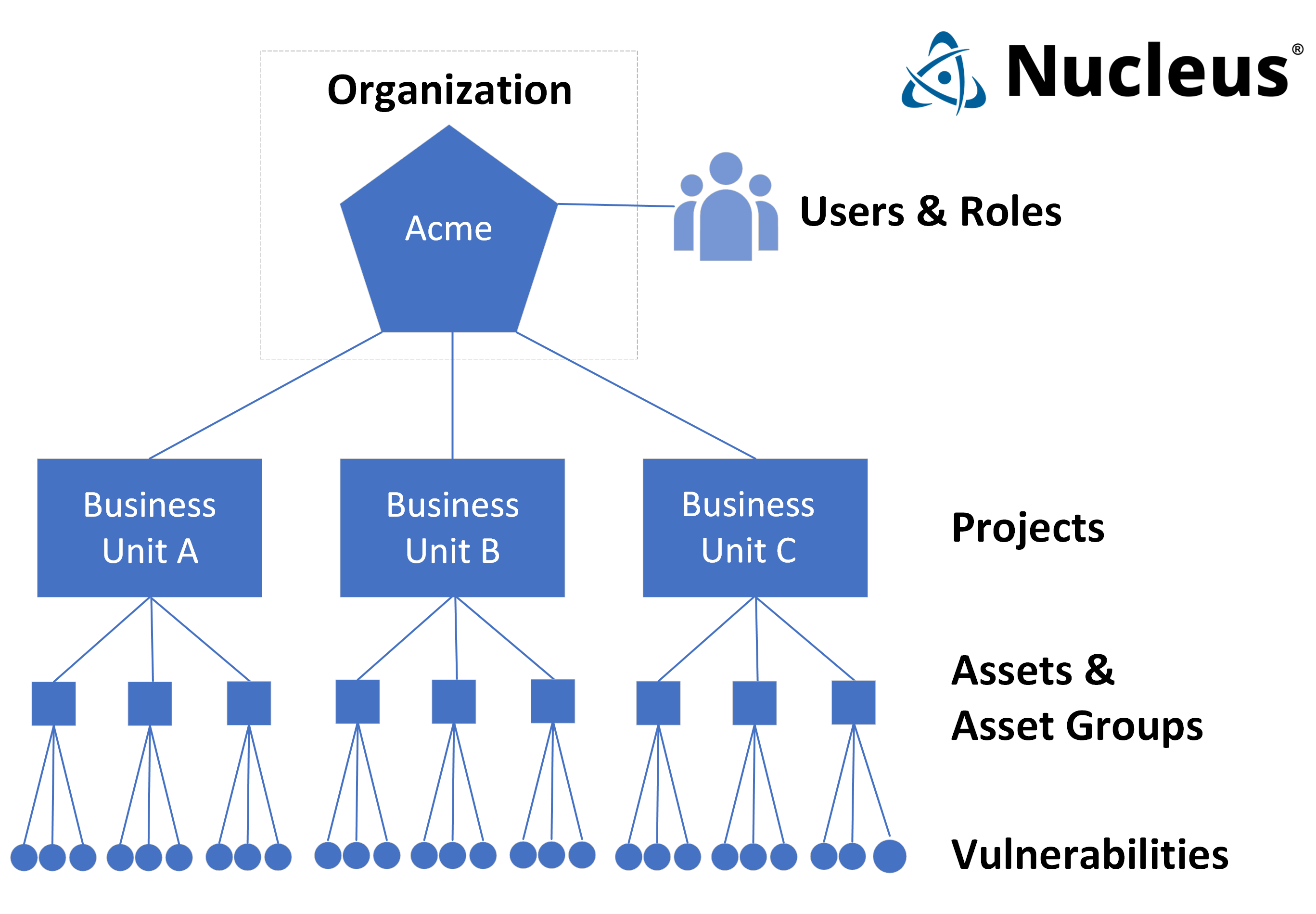
Nucleus uses the concept of an Organization to group Users, Roles, and Projects together. When customers onboard with Nucleus, their Organization is created automatically. For self-managed customers, the Organization concept within Nucleus is transparent, and there is no need for multiple Organizations.
Service Provider Deployment (Multiple Organizations)
For Nucleus customers that are providing managed security services (i.e., MSSP), multiple organizations may be used to separate each of their customers' Projects and Users. In this configuration, the service provider's organization is designated as the Master Organization, and Sub Organizations are created for each of the MSSPs customers.
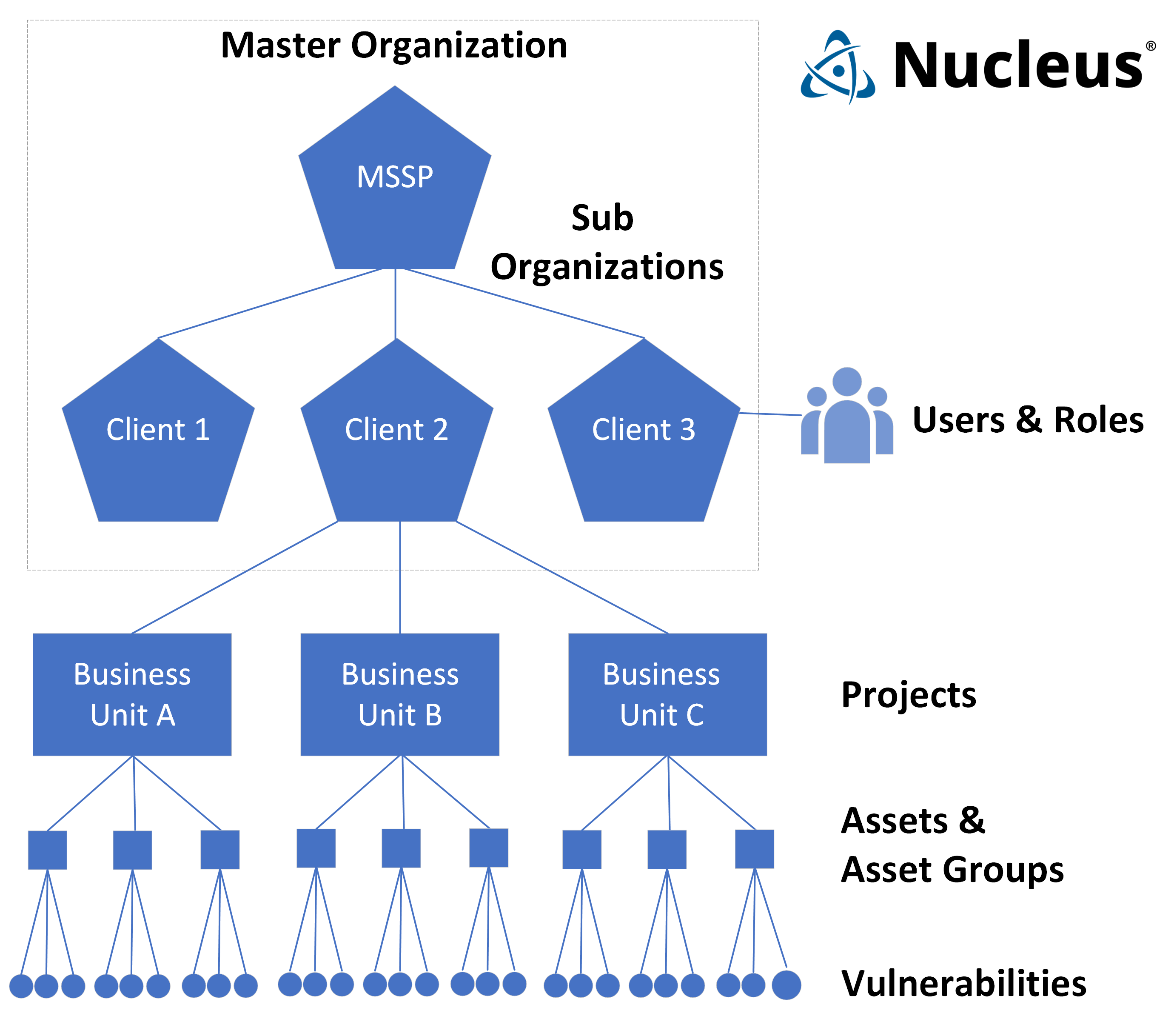
Note, The use of multiple organizations by service providers is not enforced, however it is strongly encouraged to use multiple organizations due to the following benefits:
- Subscription Management: You can purchase licenses for Nucleus based on each customer that you onboard, and track each customer's renewal date, asset counts, etc within the Nucleus console.
- Unique custom Roles for each client: You can create custom roles per customer, based on their individual needs.
- Unique SSO configuration for each client: Each organization can have its own SSO, so each client can integration Nucleus with their own SSO.
- Separation of user management: Each organization maintains it's own list of users which can be added to and removed from individual projects. By using multiple organizations, users are restricted to projects within their organization, thereby eliminating the risk of accidentally adding a user to a project belonging to another customer.