Overview
A major component of a comprehensive and resilient vulnerability management program is the ability to drill down into meaningful insights and drive the outcomes that matter to you and your organisation. Only Nucleus enables you to see all your mitigated vulnerabilities, and access their history within the vulnerability record. This is great for auditing purposes, as well as celebrating wins with remediation teams for their work.
Examples
Vulnerabilities > Active page
You can filter vulnerabilities using the "Discovered" and "Last Seen" options in the Query Builder accessible via the Filter button on the Active Vulnerabilities page, giving you more targeted metrics for reporting purposes.
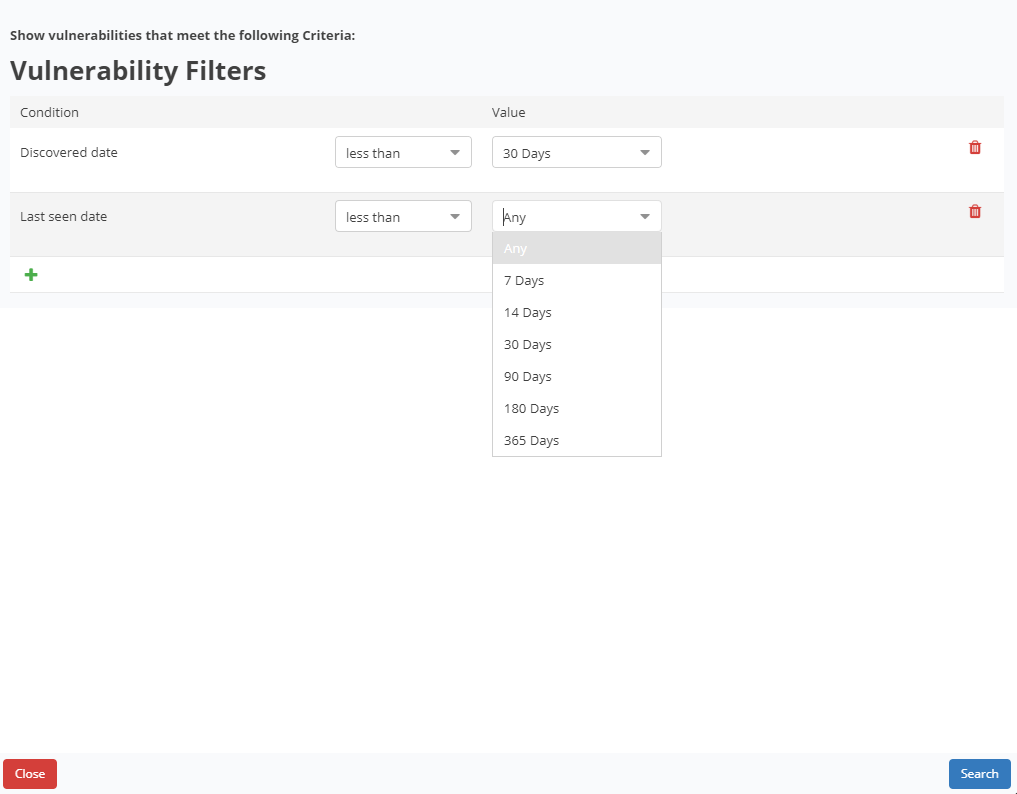
For example, do you want to know which vulnerabilities were discovered in your environment before the Mayan calendar ended?
Or how about vulnerabilities that haven’t been scanned for since you last moved out of your parents’ house? We’ve got you. Just use the custom date range filter on the Vulnerabilities > Active page.
Vulnerabilities > Resolved page
Want to be able to report on when vulnerabilities were discovered and resolved? No problem. Navigate to the Vulnerabilities > Resolved page and use the custom date range filter to see when vulnerabilities were remediated and/or discovered in that timespan.
The following screen shot shows an example of the default view for the Resolved page:
.png)
Understanding the Resolved Page Filters
- The resolved page shows information at the unique vulnerability level. The page shows Days to remediate, total Resolved instances, and remaining Active instances. The counts will change based on the selected filters.
- Selecting the Remediated: < X Days (Under Filter options) will filter the results when vulnerability instances are shown (by clicking on the Finding Name), but this will not affect the Resolved count which is always shown for the unique vulnerability in the default view.
- The Resolved column will count individual vulnerability instances only when Asset Group filters are applied.
Tracking number of resolved vs. number still active
The Resolved Vulnerabilities page also includes the number of instances that were mitigated and the number that are still active. This gives you a further level of reporting which, for example, could be used to inform your weekly, fortnightly, or monthly vulnerability management reports.
Verification method search
The verification method column allows you to easily see how the vulnerability was resolved, whether it was fully resolved or only partially resolved, and report that metric. This also helps you to easily search for the verification attribute of the vulnerability and report on all Scan mitigated vulnerabilities, or vulnerabilities that were only partially mitigated via a scan.
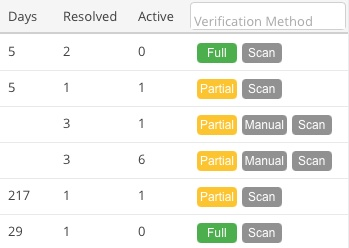
Resolved Via Scan
Resolved Via Scan means that we used the built-in Nucleus tracking to detect when a vulnerability has been scanned for again but is no longer present in a new scan. When a vulnerability has had its status manually changed in an external tool, like Snyk for example, we map those statuses to a manual status in Nucleus, so if you mark something as a false positive then we will ingest it and set the manual Nucleus status of “False Positive”.
If you have any questions, please contact us through the support center.