So you've successfully saved a search, but you don't want to have to keep running it manually to see what's changed, right?
Good news, by monitoring your search, you can be alerted to any new vulnerabilities matching (or un-matching) the search criteria!
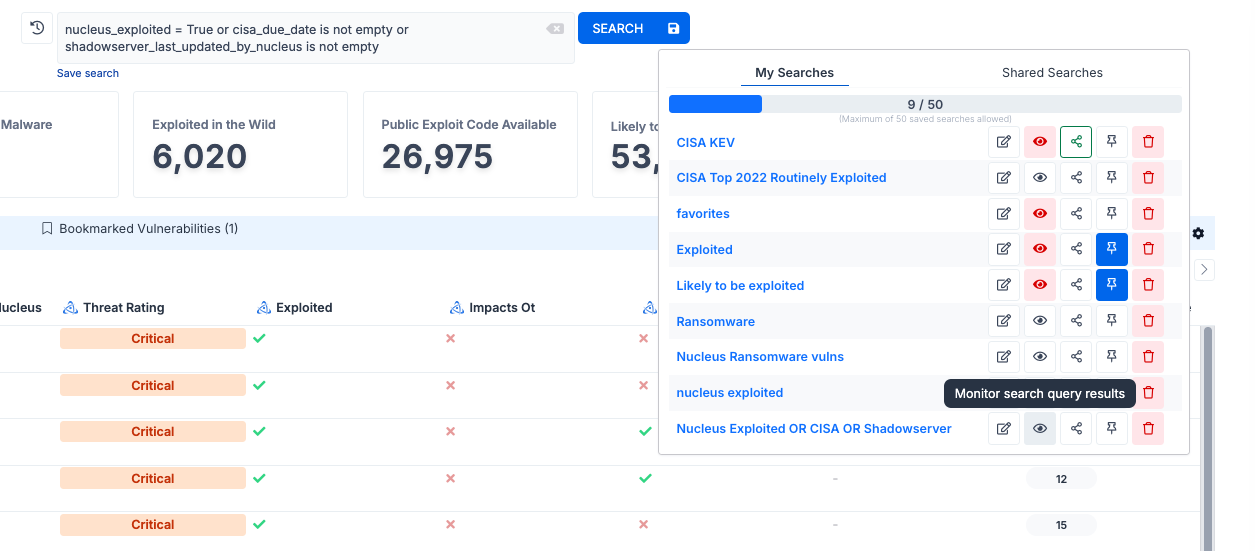
To monitor a saved search, view your list of saved searches then click the monitor (eye) icon to the right of the search name.
Next, select the options you would like for Monitoring Criteria, Severity and Alerts, then click Save.
.PNG)
You did it! You will now be notified when new vulnerabilities are discovered in the wild that are being actively exploited according to Insights, CISA and Shadowserver!