Bringing Data into Nucleus
At the core of Nucleus is the ability to ingest, normalize, and correlate data from across your security stack—turning scattered scan results and asset records into a single, actionable platform for vulnerability management.
To make this possible, Nucleus offers two powerful ways to get data into the platform:
- Pre-built Connectors – Over 150 turnkey integrations for the most common vulnerability scanners, CMDBs, cloud providers, and ticketing tools.
- FlexConnect Framework – A flexible, extensible framework that allows you to define your own custom data sources, map fields, and create reusable parsing logic for tools not supported natively.
Whether you're pulling in data from Tenable, loading a custom CSV, or integrating with an internal asset inventory, Nucleus ensures your data lands in the right place with the right context—ready for prioritization, automation, and remediation.
This guide focuses on pre-built Connectors, which are the most common way to get started with automated data ingestion. For information on the FlexConnect framework, a proprietary method of ingesting, normalizing, and deduplicating asset and vulnerability data from any source, check out the "FlexConnect Framework" folder in the lefthand navbar.
What Are Connectors?
Connectors in Nucleus are pre-built integrations that automatically ingest data from your existing tools—such as vulnerability scanners, asset management systems, threat intelligence platforms, and ticketing systems—into a single, unified view. With over 150 supported connectors, Nucleus helps you eliminate manual data collection and streamline your entire vulnerability management workflow.
Why Use Connectors?
Using connectors is the fastest and most reliable way to keep your security data accurate, centralized, and actionable. By pulling in data from across your environment, connectors allow you to:
- Consolidate data silos from scanners, CMDBs, and ticketing tools
- Enrich vulnerability data with asset and threat context
- Automate remediation workflows with ticketing system integrations
- Enable continuous monitoring through scheduled syncs
This means your teams spend less time wrangling data—and more time reducing risk.
How Do They Work?
When you configure a connector in Nucleus, it securely connects to your third-party tool via API. From there, it follows a simple flow:
- Authenticate with your external tool using credentials or tokens
- Ingest scan or asset data on a regular schedule or on demand
- Normalize and correlate the data with your existing assets and vulnerabilities in Nucleus
- Trigger automations like tagging, deduplication, ticketing, and reporting
Most connectors support configurable settings like sync frequency, asset tagging, and data filtering, giving you fine-grained control over how data flows into Nucleus.
What Can You Integrate?
Nucleus supports a wide range of integrations across the security ecosystem, including:
- Vulnerability Scanners – Qualys, Tenable, Rapid7, and more
- Asset Inventory – ServiceNow CMDB, AWS, Azure, GCP, etc.
- Threat Intelligence – Shadowserver, Recorded Future, and others
- Remediation Tools – Jira, ServiceNow, Microsoft Defender, and more
- Custom Uploads – CSV, XML, JSON file ingestion
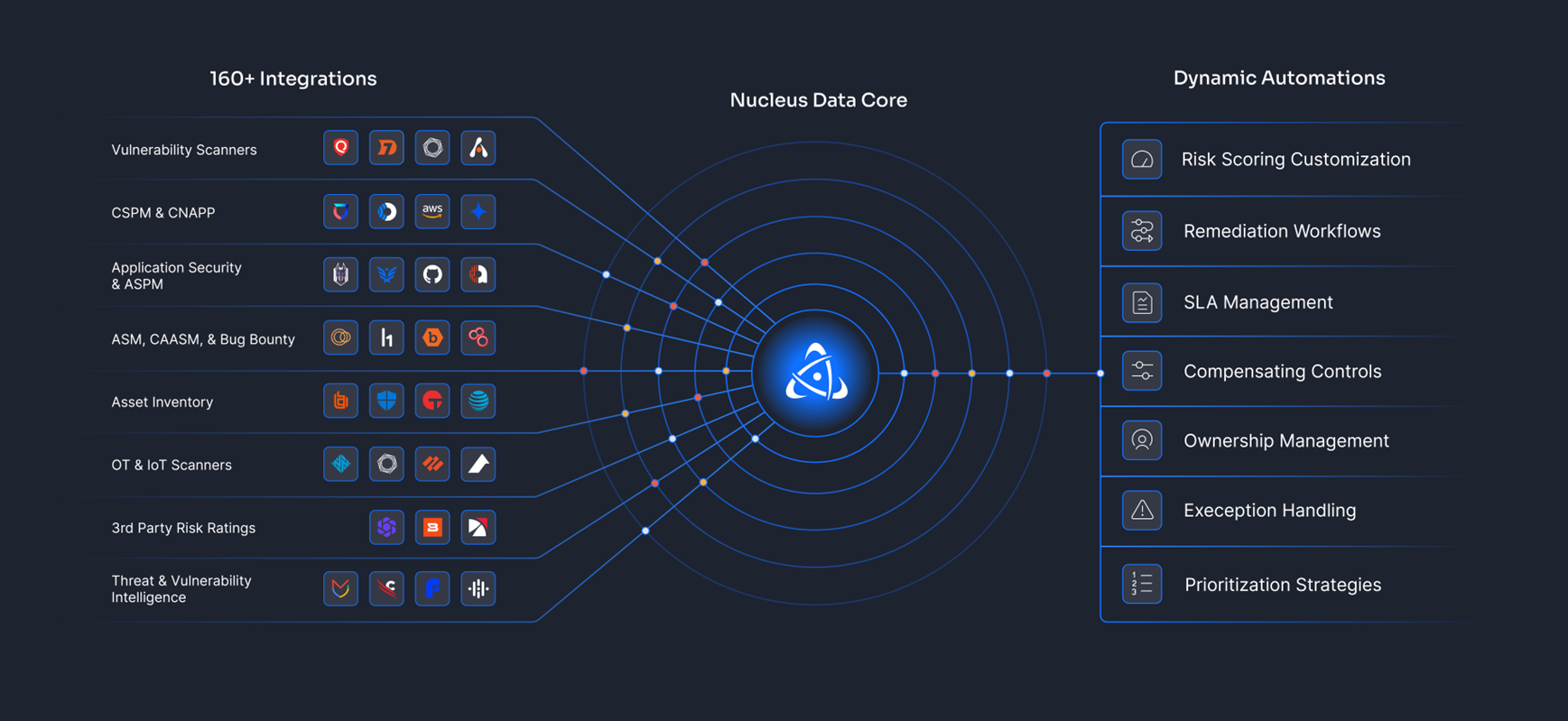
Whether you're just getting started or scaling to enterprise-wide visibility, there's likely a connector that meets your needs.
👉 Explore the Full List of Supported Connectors
Ready to see what tools you can integrate with Nucleus? Browse the full list of supported connectors in the "Supported Connectors" folder of this document center.
Connectors can also be set up from within a project from the Project Administration > Connector Setup page
If you have any questions, please reach out to [email protected].