It's possible to easily remove all the data associated with one or more imported scans from your Nucleus instance fast.
- From within a Nucleus project, navigate to Data Ingest > Import History.
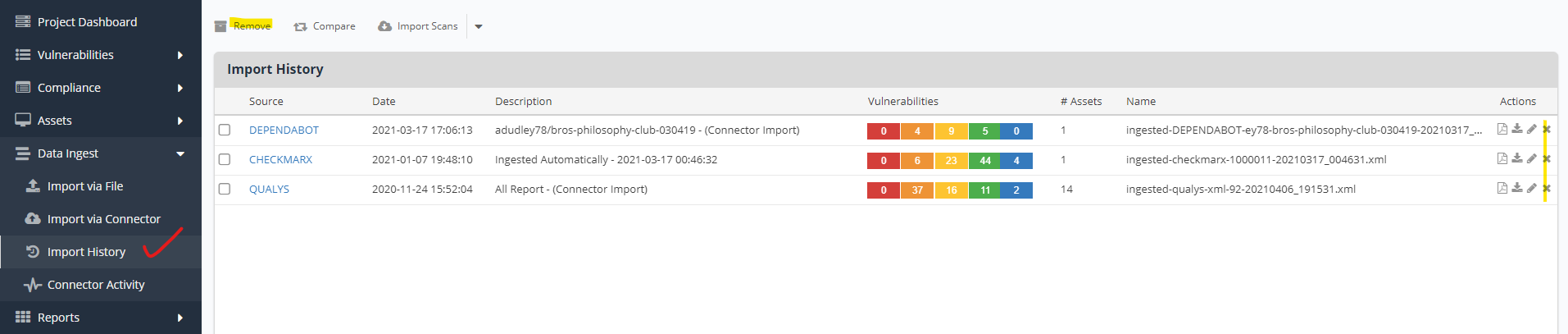
- Click the 'X'/remove button to the right of any one scan to remove it including all its data.
or
Select more than one scan using the checkboxes to the left of the Source column and click the Remove button to remove all the selected scans and associated data from Nucleus simultaneously.