This article provides an explanation for how to configure Nucleus to display a system use notification (login banner) which may be required to meet NIST SP 800-53 or FedRAMP requirements.
What is a System Use Notification?
A system use notification is pre-defined text displayed to users before allowing access to Nucleus. It is also called a login banner, warning banner or access warning or consent banner. The requirement for a customized login message stems from several federal laws, policies, and standards, the most common being NIST SP 800-43 and FedRAMP. The notification informs users they are entering a secure system which deters misuse and reminds users of security protocols.
Configuring a System Use Notification
System use notifications are configured at the Organization level and must be done by a Nucleus administrator. To configure a system use notification please open a support ticket. You can set the Login Banner Title and Login Banner Text.
System Use Notification Example
The following screen shot shows an example of a login banner a user would see after logging in to Nucleus:
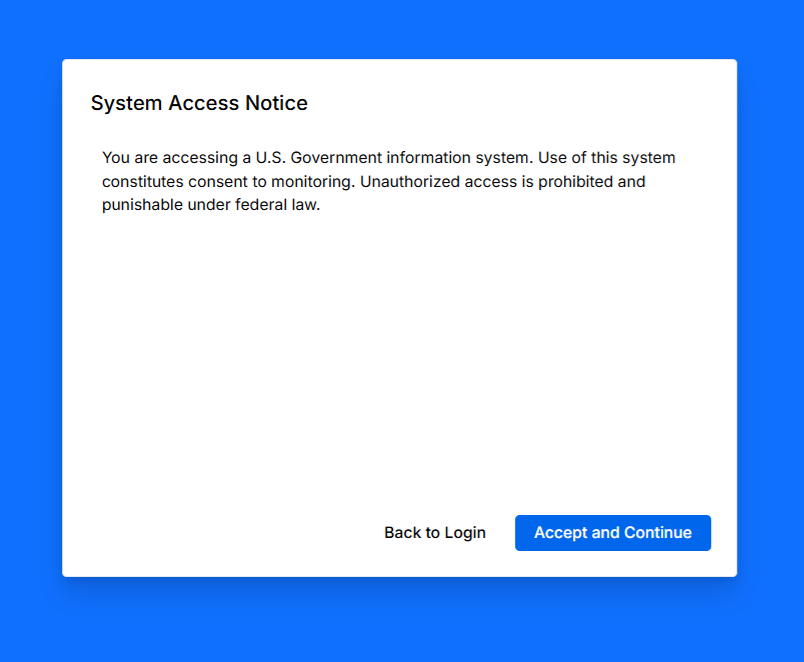
System Use Notification Example