Overview
Nucleus Organizations are another way of adding hierarchy to vulnerability data. Enterprises might use Orgs to represent various business units or lines of business under the corporate umbrella. MSSPs might use Orgs to represent clients that use Nucleus to manage vulnerabilities as part of their managed security services.
Edit Org Settings
Required Permissions Level
Nucleus Account Administrator
-
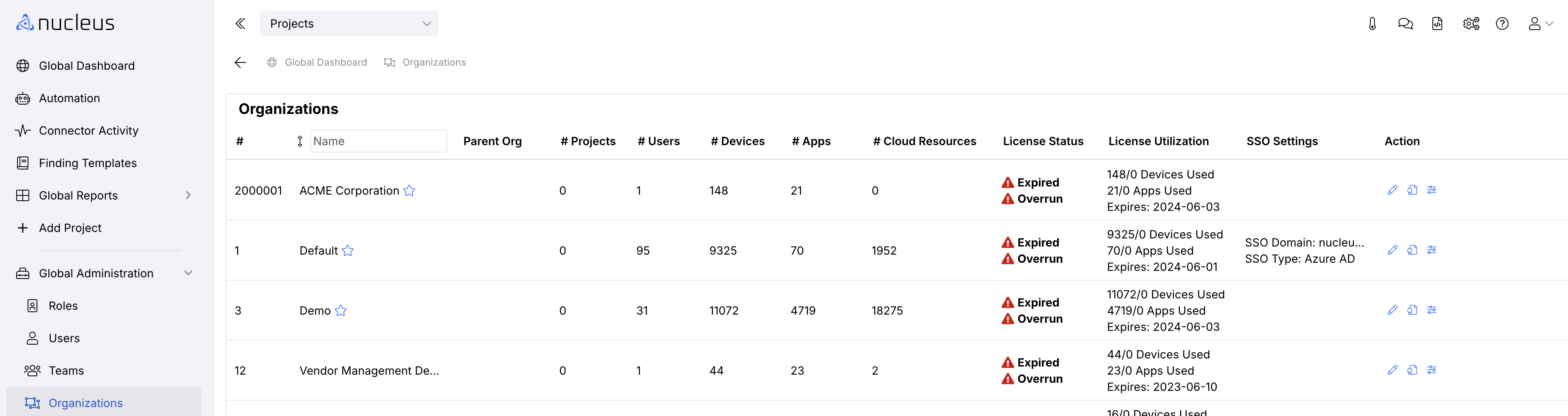
Navigate to Global Dashboard > Global Administration > Organizations.
-
Click the Edit button in the Actions column to the right of any Organization.
- In the Edit Organization pop-up modal, make your updates and click the Save button .
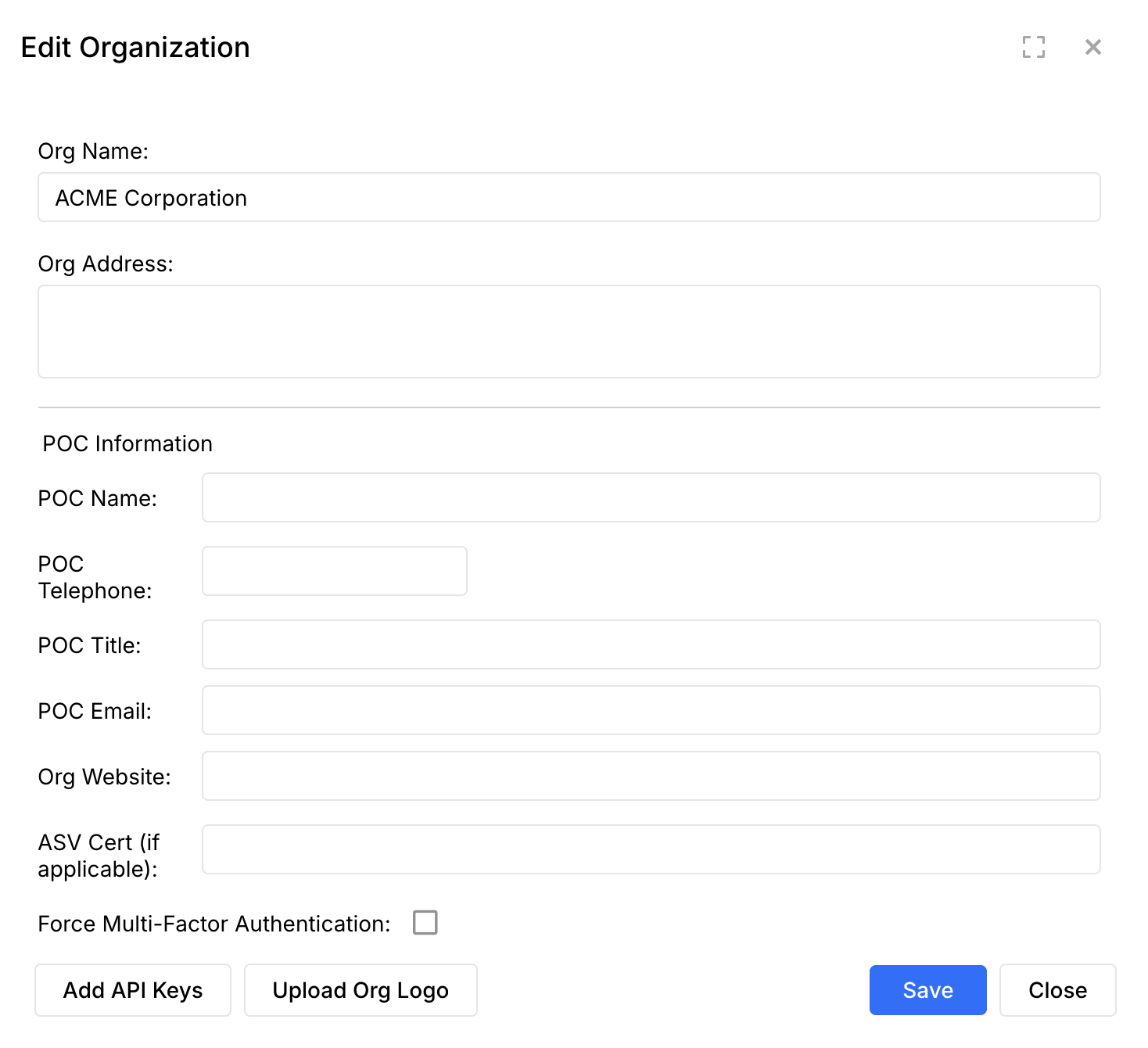
Org Settings
| Setting | Description |
|---|---|
| Org Name | The name of your Organization |
| POC Information fields | When using Nucleus for PCI reporting, these fields allow you to add reusable PCI ASV information. |
| Disable Inactive User | Allows you to automatically disable users that haven't accessed Nucleus within a number of days you specify. |
| Log Users Out | Allows you to specify the number of minutes a user must remain inactive before being logged out of Nucleus for inactivity. By default, all users are logged out after 60 minutes of inactivity, unless otherwise specified in this setting. |
| Enable Assessments | Nucleus Assessments provide penetration testers, auditors or assessors a way to manage point-in-time assessments within Nucleus. |
| Enable Email Notices For Assigned Vulnerabilities | Tells Nucleus that you want users in the Org to be notified via email when a vulnerability is assigned to them. |
| Scan Tool Overrides CVSS Score | Tells Nucleus to use the intel coming in from the scanning tools instead of the intel sources Nucleus pulls from by default. |
| CVSS Score Version | The CVSS version used in the product, if multiple are avaialbe. If opting to use CVSS V3, but there is no score that exists in V3, we will fall back to using V2 in that case. |
| Org Email Footer | Allows you to create a custom email footer to be added to the bottom of notification emails. |
| Enable Recorded Future (Add API Keys button) | The Nucleus Recorded Future integration enriches vulnerability information with Recorded Future vulnerability intelligence. Click here for set up instructions. |
Questions about how to use Nucleus Organizations?
Contact support here and we'll be happy to help