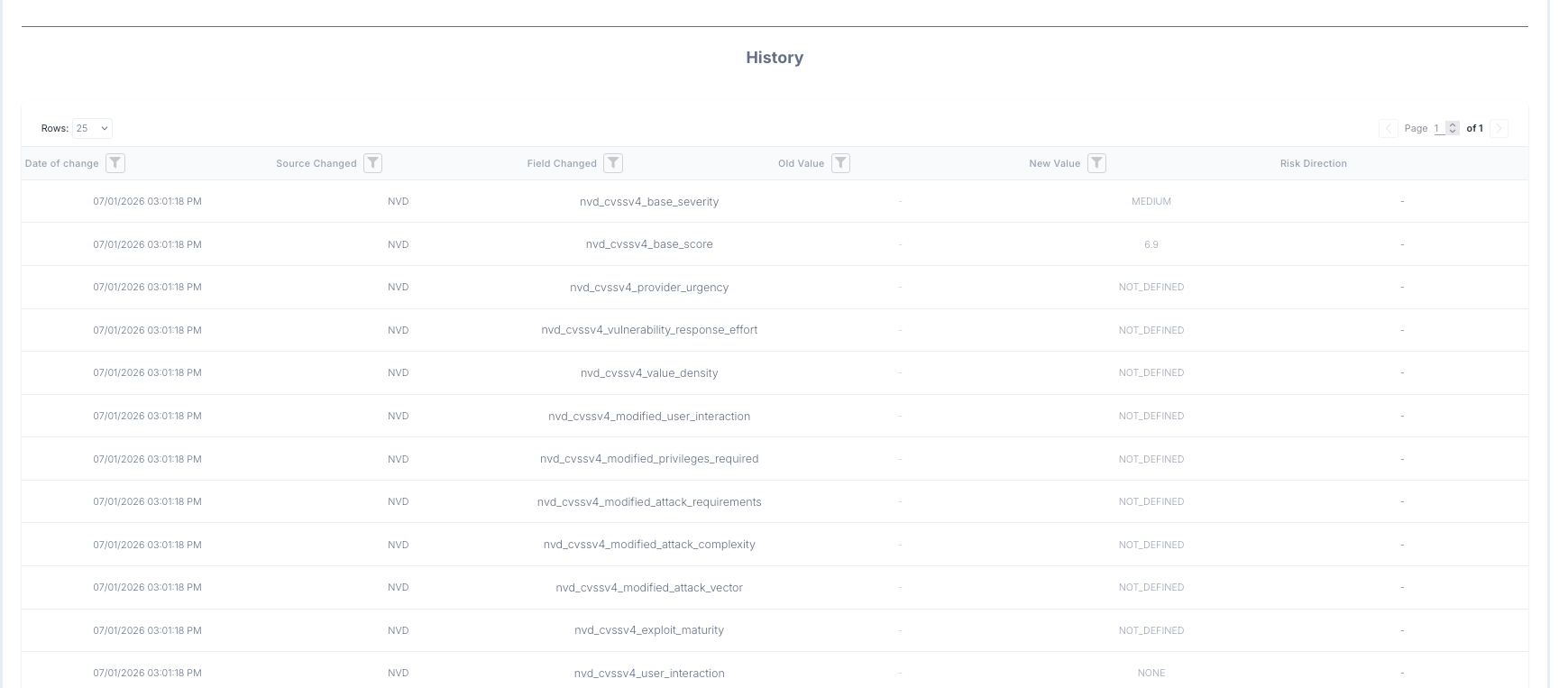
As vulnerability intelligence changes for all the fields that VIP tracks, we want to be able to look back at when certain fields changed in value, and what those new values represent in magnitude of risk.
To view a vulnerability's history, head to a Vulnerability Details page and click the History tab at the top of the page.
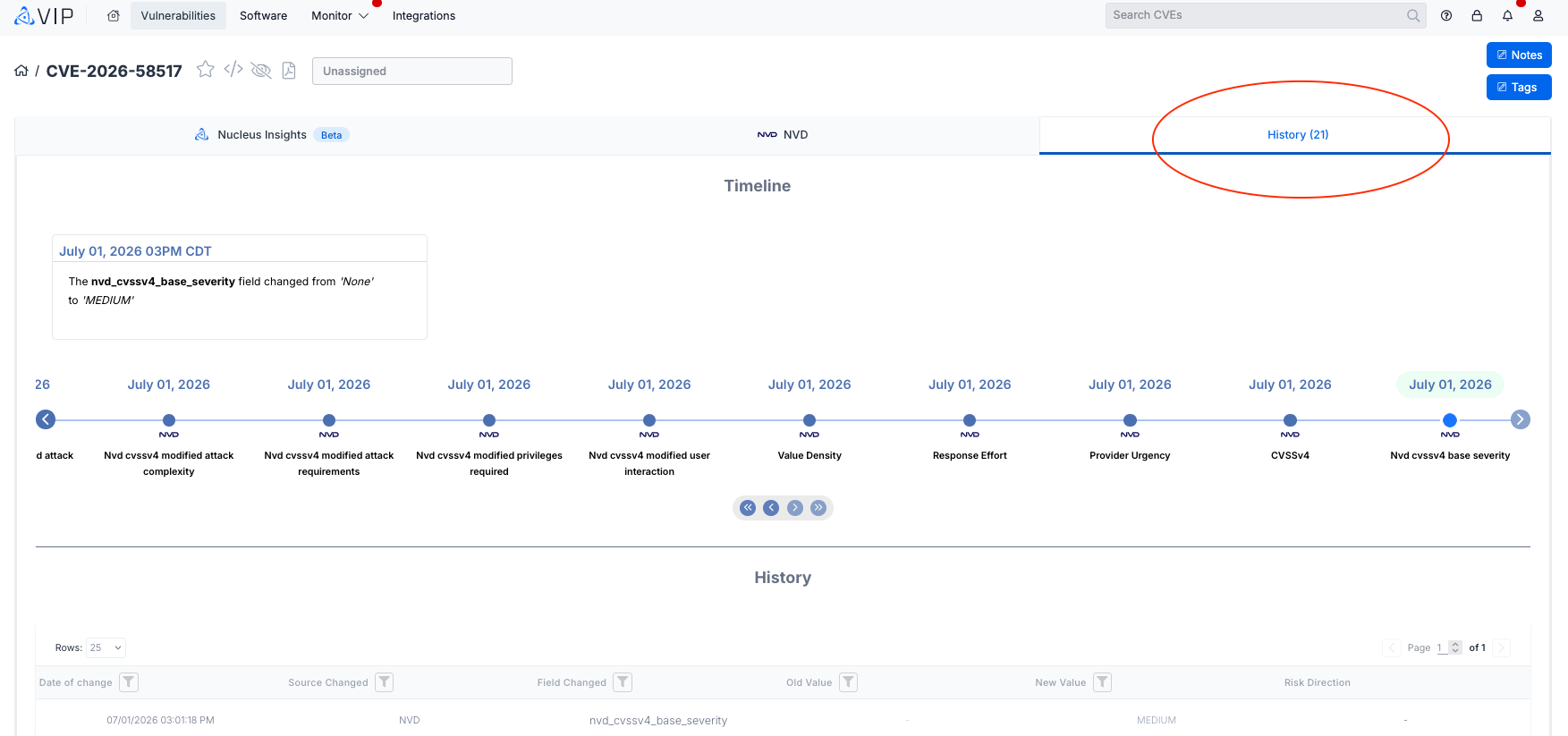
There are two major components to the History page.
- Timeline: See changes to intelligence fields in sequential order, with an info card displaying what was previously observed, and what the field now contains.
- You can use the double and single arrow buttons underneath the timeline to move backwards or forwards in order of events observed by VIP.
- You can use the double and single arrow buttons underneath the timeline to move backwards or forwards in order of events observed by VIP.
- History Table: Filter on specific date ranges, the source or field changed or what is contained in the old or new value. Risk direction offers visibility into if the field change that occurred should be considered an overall increase in risk for the vulnerability (red arrows) or an overall decrease in risk for the vulnerability (green arrows).