Overview
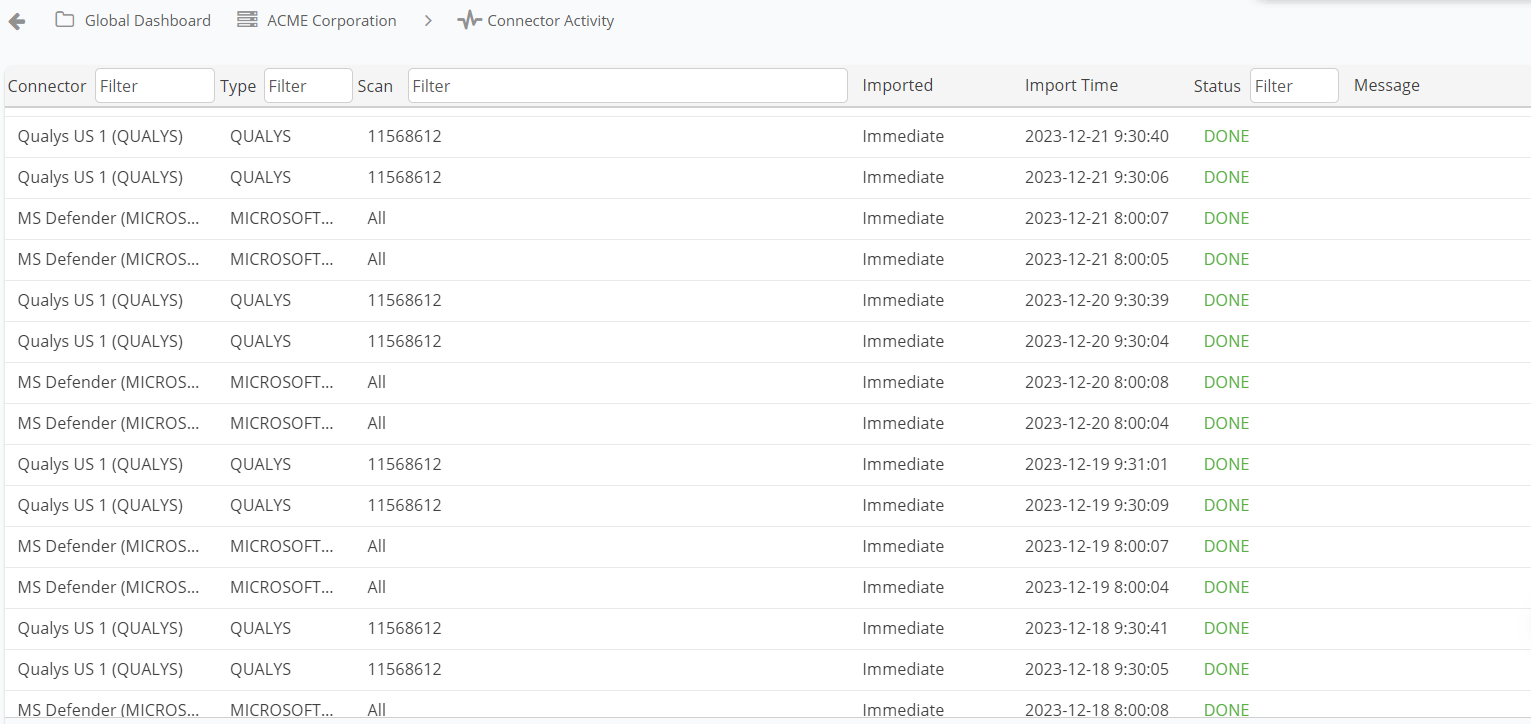
Nucleus has Connector Activity pages at the Global and Project levels. On these pages, you can check the health of the connectors you've set up for a project or the entire organization. You can track scan ingests, import times, and statuses.
Accessing the Activity Page
To access the activity page from the Global level, click Connector Activity on the left menu. From within a Project, navigate to Data Ingest > Connector Activity. On these pages, you can check connector activity. You can also sort and filter the columns to get a more dialed in view of your connector activity.
Why do I see two of the same job?
A connector ingest will run in two separate jobs. The first job is when Nucleus downloads the data from the scanning tool, and the second job will process the data that we’ve downloaded. This explains the two separate entries (duplicate Scan names/scan IDs) on the Connector Activity page.