Overview
This article explains how to quickly check which version of your ServiceNow instance you’re using via the ServiceNow stats page. Knowing your instance version is essential for development, troubleshooting, understanding your compatibility with integrations and staying up to date.
You must have sufficient permissions (often admin or comparable) to view the stats page.
Find Your ServiceNow Version
Option 1: Use the URL method
Log in to your ServiceNow instance.
In the browser address bar, add /stats.do to the end of your instance URL.
Example:https://your-instance.service-now.com/stats.doPress Enter.
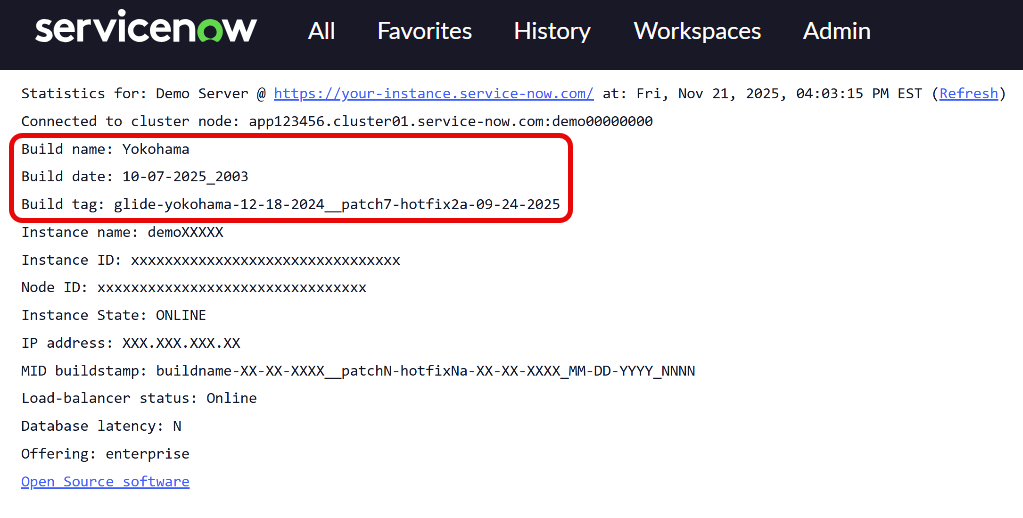
The system will display diagnostic information for your instance, including your Build name, Build date, Build tag near the top of the page.
Option 2: Use the global search bar
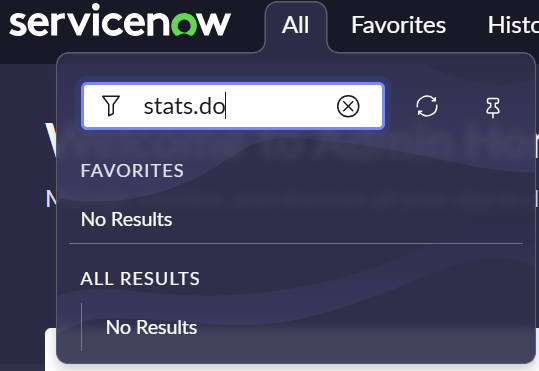
From anywhere in your instance, click the All search bar at the top of the screen.
Type stats.do into the search field.
Even if no results appear, press Enter.
The system will display diagnostic information for your instance, including your Build name, Build date, and Build tag near the top of the page.
.png)