Overview
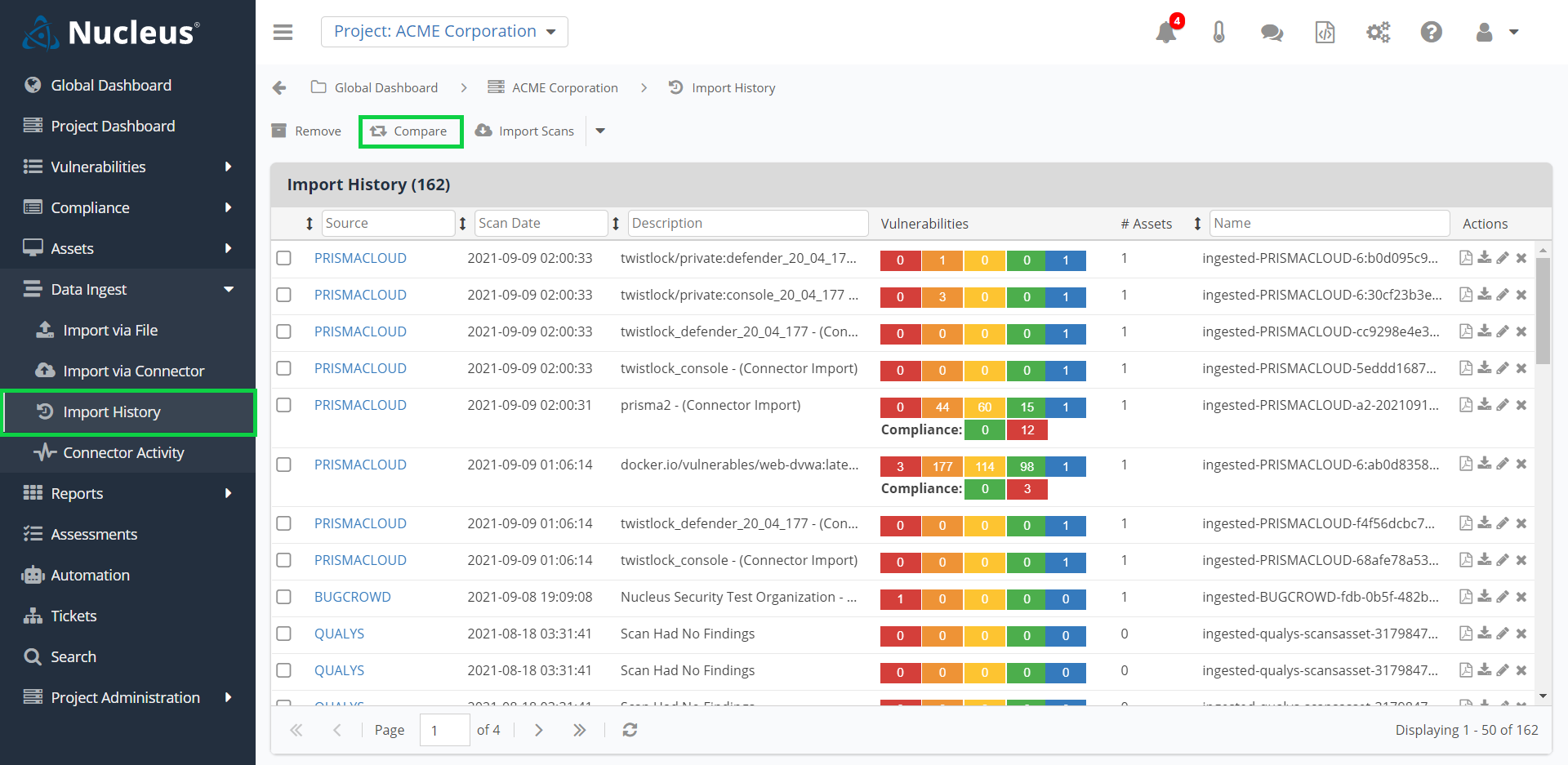
From within any Nucleus project, you can access the Data Ingest > Import History page. The purpose of this page is to provide a permanent and interactive record of all previous scan file ingests including files that were imported manually and via connectors. Additionally, you can compare two scan files from the same source against one another to see the differential.
Understanding the counts in the Vulnerabilities column

- The initial scan from a particular source will result in the full vulnerability counts at the time of the scan being reflected in the Vulnerabilities column.
- If you manually mitigate any of the vulnerabilities that were originally counted in the initiatial scan, the counts for future scans (based on the mitigated date) will be updated.
- The counts on older scans will not be updated when findings are marked as manually mitigated in Nucleus, but scans newer than the mitigated date will.
If you have any questions, please contact us through the support center.