Overview
Occasionally, an urgent need arises to quickly identify all the assets that have a vulnerability with a specific CVE. The purpose of this article is to mention the step by step instructions of a couple of ways to retrieve this information.
If this is a newly discovered CVE, please make sure new scans to detect the CVE have already been ingested into Nucleus.
1. Using CVE Filter on Active Vulnerabilities page
First method to retrieve this information is by filtering the active vulnerabilities by CVE number. Using the process below:
-
Open the project in question and browse to Vulnerabilities > Active page:
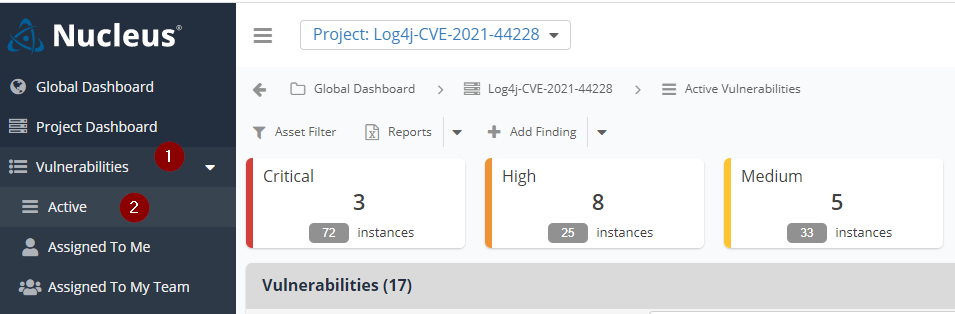
-
Use the filter functionality to filter for the CVE number. Like below:
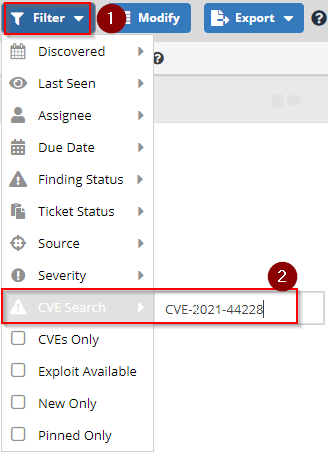
-
Hit enter to save the filter. The active vulnerabilities page will show the vulnerability.
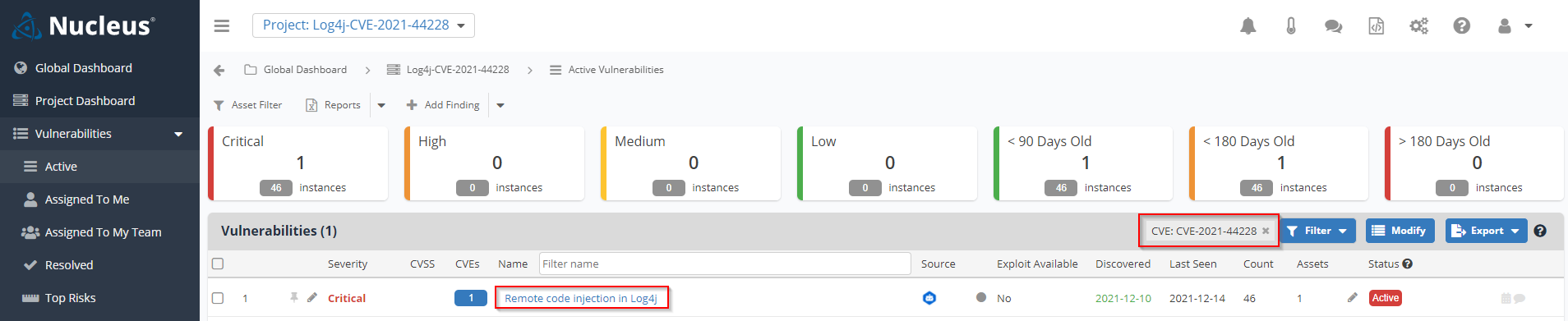
- Click on the listed vulnerability to open the vulnerability details page (1) and then go to "Instances" tab to list the assets that have this vulnreability(2):
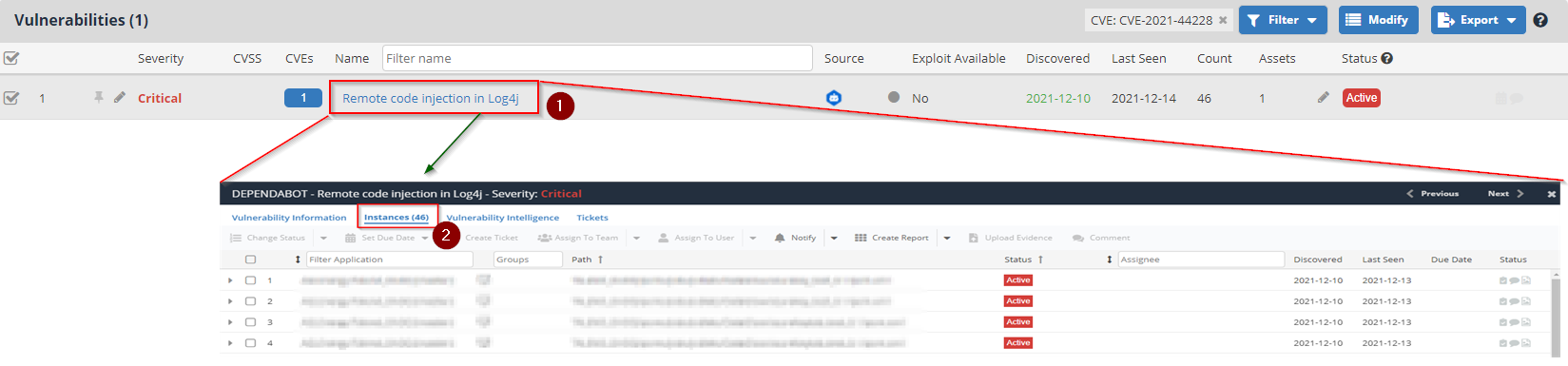
- If you would like to generate a report from this data, you can do so by going back to the Active Vulnerabilities page and clicking on the "Reports" menu:
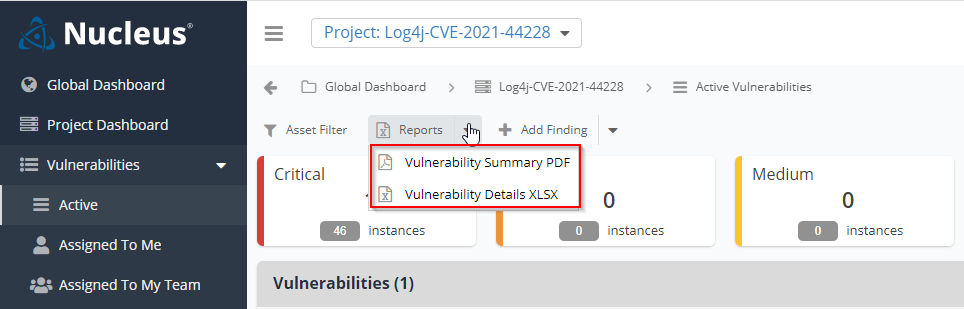
- Choose the report you would like generate and follow the process the generate the report.
2. Generate a Vulnerabilty Details or Summary Report
Second method to retrieve this information is by generating a vulnerability details or summary report using advanced filters.
You can find the exact steps for this method in the article: Generate Vulnerability reports by CVE Number.