Frequently Asked Questions for Reports
In Vuln reports, what does the option "Only Include Vulnerabilities With External Issues" mean?
This question is about the "Options" screen in the advanced filtered vulnerability summary, details or custom reports:
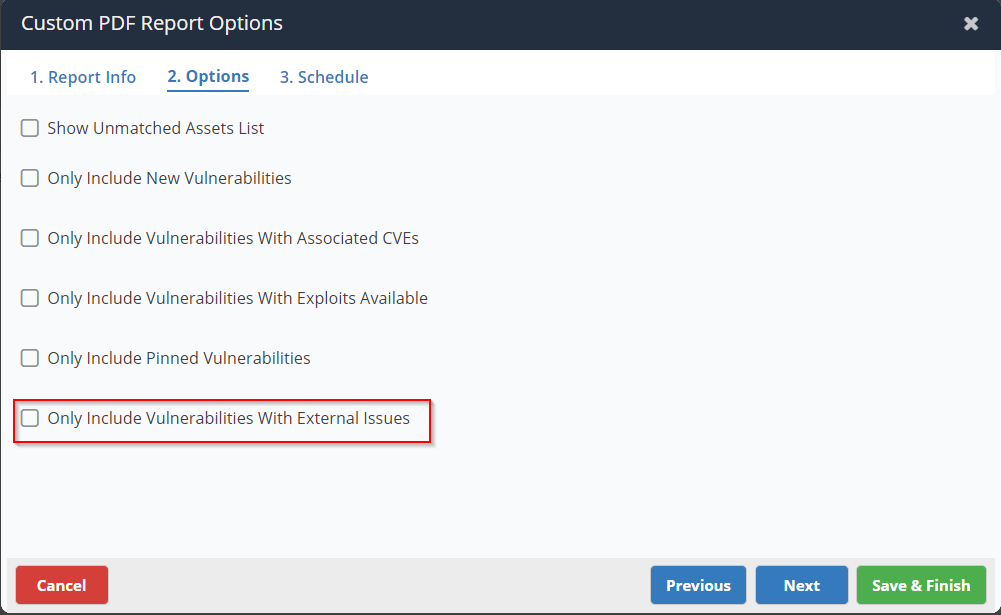
Ticking this option will only include the vulnerabilities that have related tickets / issues in an issue tracker connected to your Nucleus instance. For example, if you are managing the progress of your vulnerabilities' remediation with issues trackers like Bitbucket, Jira, Zendesk etc. and you have connected it to your Nucleus instance then using this option you can generate a report for all vulnerabilities that have associated tickets in your connected issue tracker.
How can I generate a report for vulnerabilities in public facing assets?
For generating the report to only include the vulnerabilities in the public facing assets, you can create a group containing only public facing assets (via automation or manually using “Public Facing” filter from “Asset Management” page.)
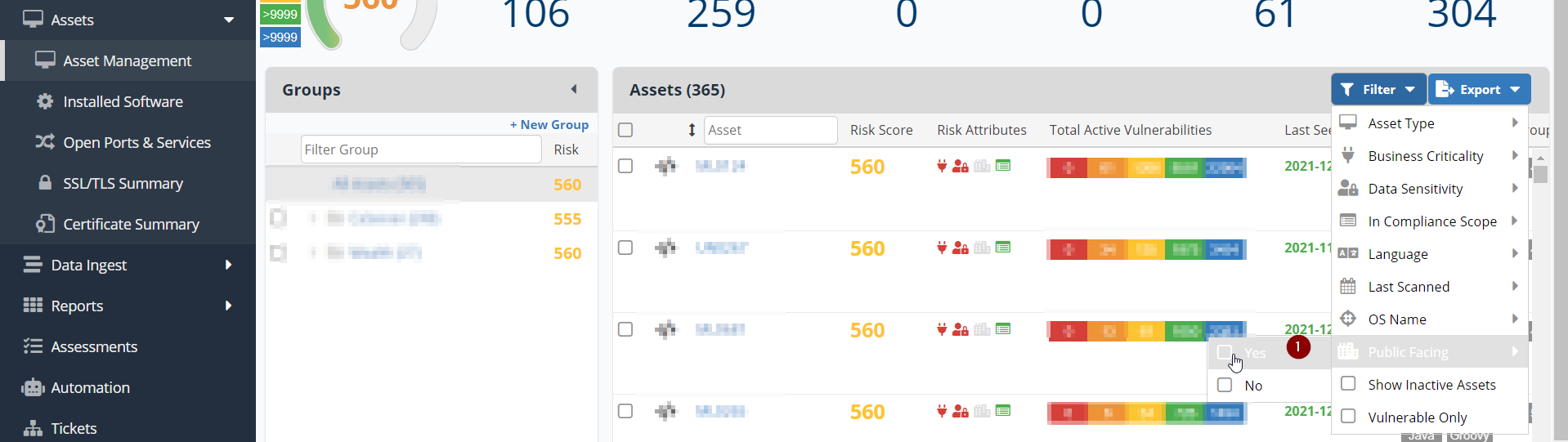
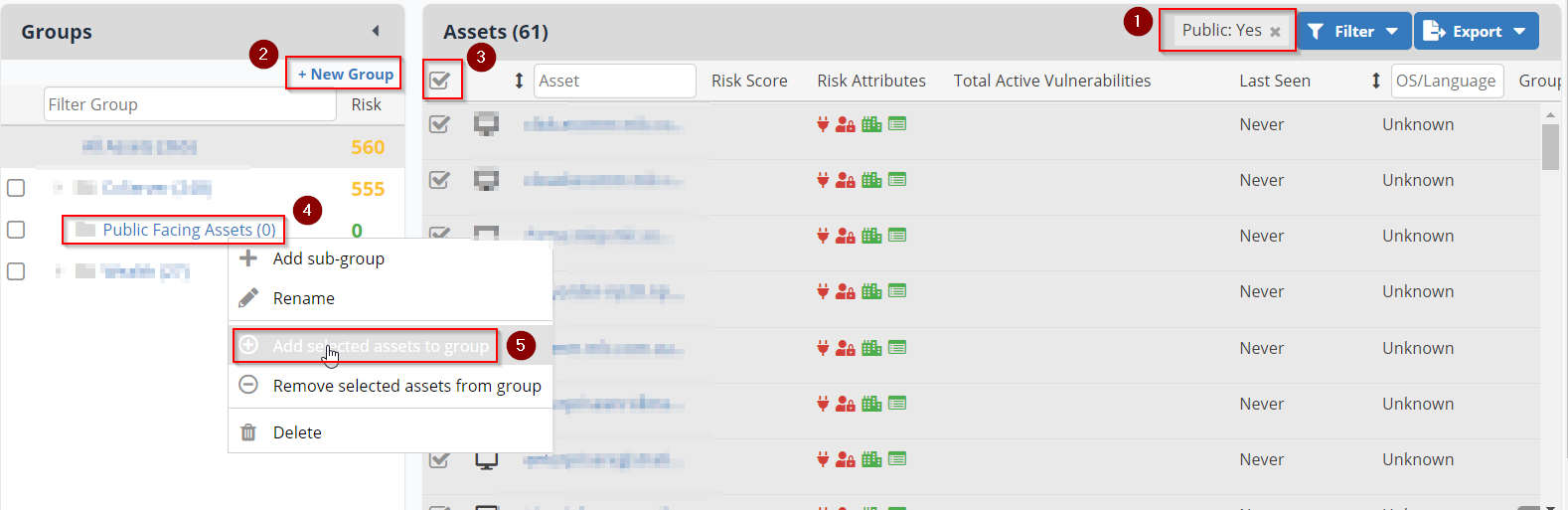
and then use the Report List > Create Report > Vulnerabilities Custom Report to generate the report after adding the filter for the Asset Group:
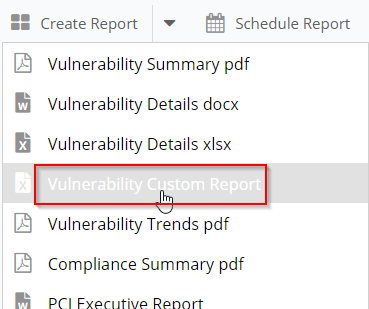
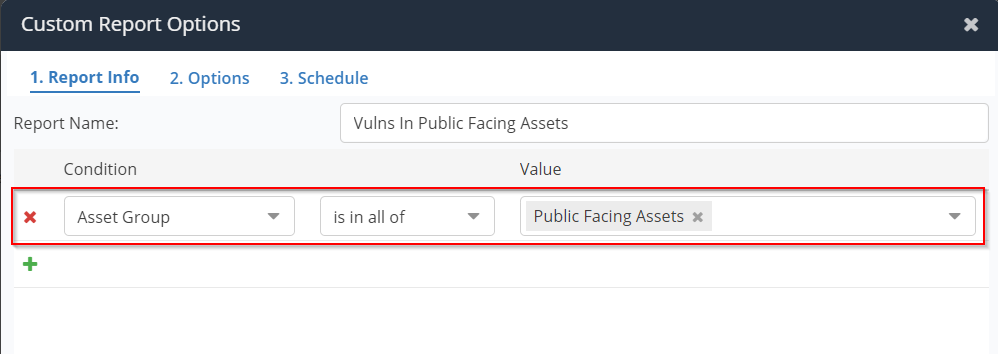
Follow the usual process of generating report after this.
When I am scheduling a report, which time zone is used to display the date / time and to run the report?
When scheduling a report, for example, on the following screen:
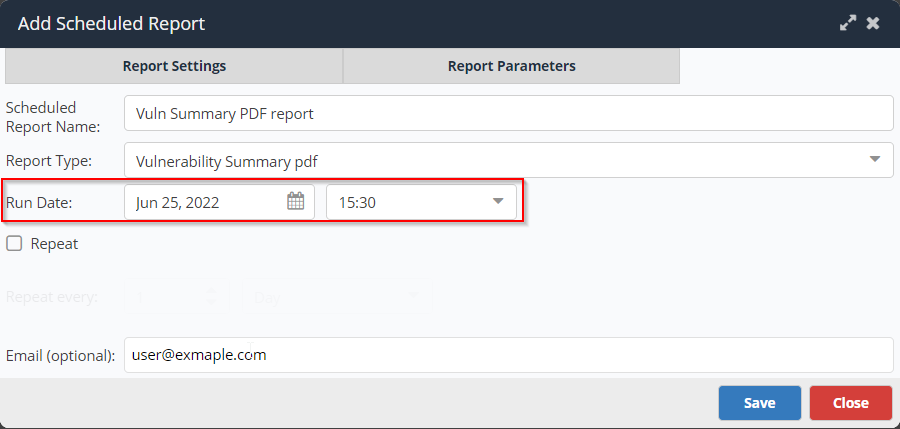
The time on this screen is displayed according to the time zone of the user's browser / computer. Also, the report will run according to the same time zone. So, if current time is 2:30pm on user's computer and she schedules to run the report at 3:30pm on the same day, the report will run after one hour.