Overview
Nucleus enables you to ingest issues for Portfolio and Company Scorecards from your Security Scorecard subscription directly into your Nucleus console using an automated connector. The connector uses the APIs provided by Security Scorecard to seamlessly sync data into your Nucleus project for use in analysis, triage, automation, and reporting.
The Security Scorecard connector supports importing issues for
- Individual company scorecards
- All company scorecards within a portfolio; and
- All company scorecards within all portfolios.
Connector Setup
Connector Setup Checklist
Follow the steps in this checklist to successfully set up this connector:
- API Access
Create an API token in Security Scorecard. - Connector Configuration
Create and configure the connector in your Nucleus project. - Data Ingestion
Create one or more ingest rules to ingest scorecard issues from Security Scorecard.
1. API Access
- Follow the steps outlined in the Security Scorecard Help Centre article to generate an API Token.
- Make a copy of the token for use when configuring the connector.
2. Connector Configuration
- Open Nucleus and go to Integration Hub > Connector Setup.
- Under the Scanners section, click the Security Scorecard icon. You will see the following popup:
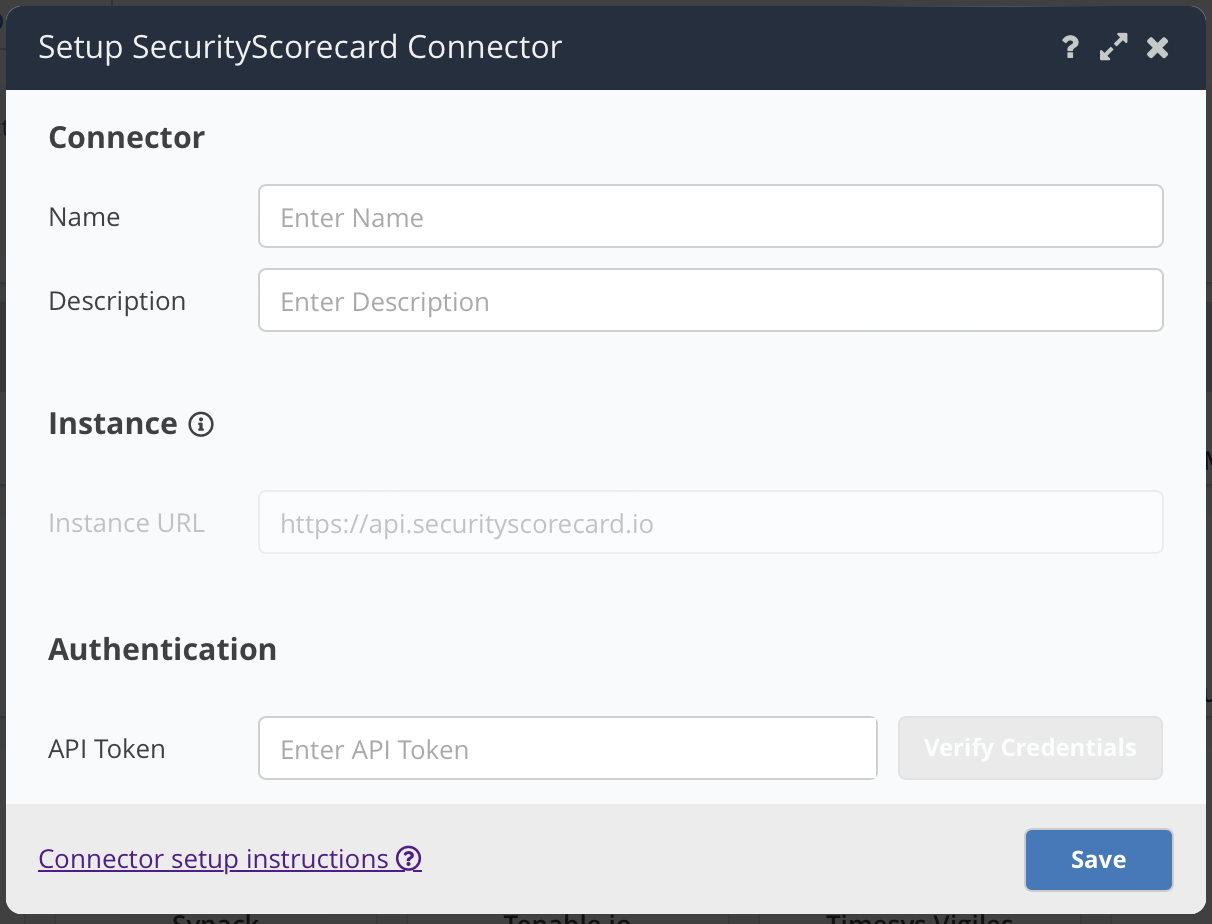
- In the Setup Security Scorecard Connector popup, enter the following information:
| Field | Description |
|---|---|
| Name | Enter an optional name for your connector. |
| Description | Enter an optional description for your connector. |
| API Token | Enter the token you created in API Access. |
- Click Verify Credentials.
- Click Save.
3. Data Ingestion
- Go to Integration Hub > Import via Connector.
- Select the Security Scorecard connector you just created.
- Select the method of import: All, Portfolio or Company.
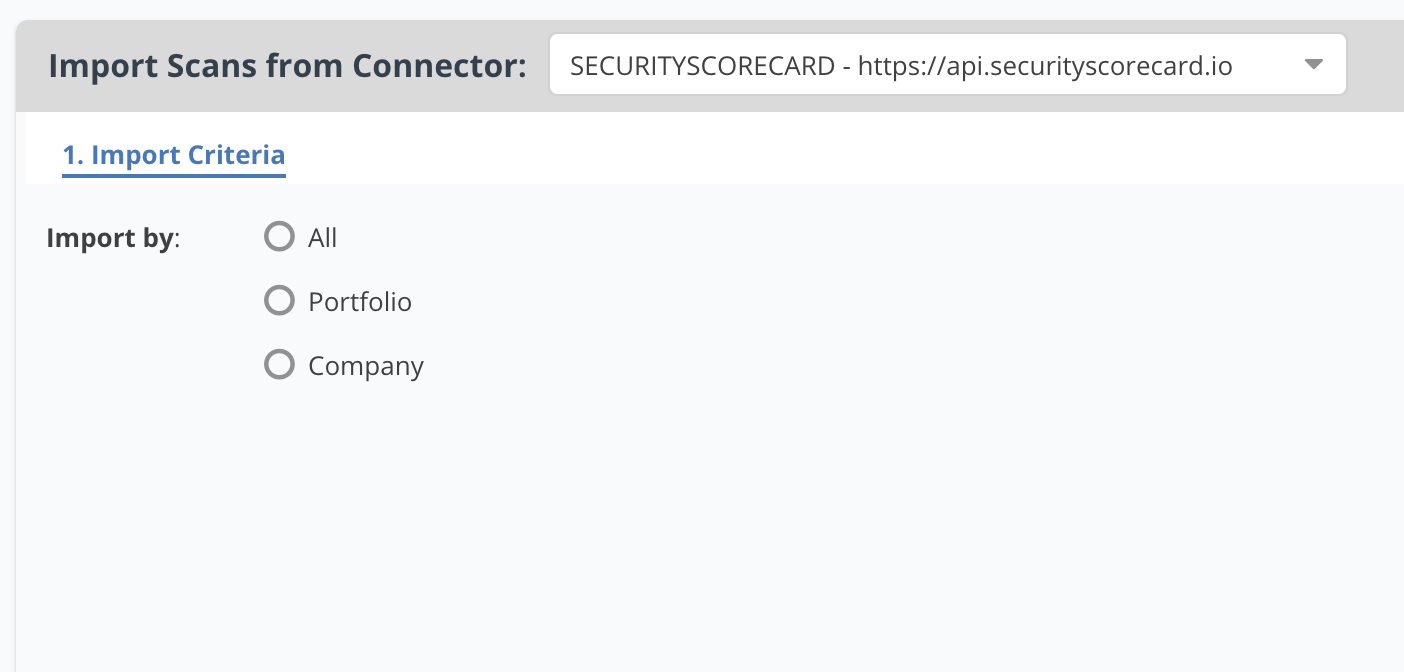
- Select a schedule to import scans into the project.
- Click Save & Finish.
Connector Behaviour
Ingestion Methods
Security Scorecard allows you to monitor not just your own company or portfolio of companies, but other companies too. Due to this, choosing the correct import method is important to ensure that you ingest only scorecards that are important to you and your vulnerability program. These are the supported ingestion methods and behaviour of each:
- Company - This method allows you to ingest scorecards related to specific companies that you are monitoring. If you only want to ingest the scorecard for your company or a subset of companies that do not make up an entire portfolio, then choose this method.
- Portfolio - This method allows you to ingest scorecards related to many companies, grouped by the Security Scorecard Portfolio feature. If you use Portfolios to group companies and regularly update the companies that you monitor in one or more portfolios, then this method may be best for you as the connector will dynamically retrieve all companies related to the chosen portfolio(s) at the time of download.
- All - This method allows you to ingest scorecards for all companies that you are monitoring across all portfolios. We recommend using this method with caution as it may result in ingesting scorecards for companies that are outside of your vulnerability program.
Supported Issues
Almost all issue types are supported in the connector, however a small number are unsupported. These issues are unsupported:
- Any issues in the Leaked Information or Patching Cadence factors.
- Issues with a Positive severity
- Issues with an inactive status
- Contact Information Detected issues
- Any issues missing asset identifying information. This means any issues which have no related IP Address, Hostname, Target or Final URL.
Limitations
The connector is limited by scale limitations within the Security Scorecard platform. Scorecards for companies that have very large IP footprints such as Amazon, Oracle, Google, Microsoft, etc. are unable to be imported as the API is unable to export data at that size. There is no available workaround for this within the connector or the Security Scorecard platform.