Overview
Changing the status of a finding in Nucleus enables you to edit the status of the vulnerability once and keep that status indefinitely to improve workflow efficiency and reporting accuracy. For example, after you edit the status of a vulnerability to "false positive" in Nucleus the first time, that vulnerability will appear as "false positive" in each subsequent scan. Nucleus allows you to manually mark findings as mitigated, compensated for, accepted risk, and false positive to give you a more accurate risk view of your vulnerabilities. For more information on the status of vulnerabilities, refer to the this article.
You can change the status of a vulnerability on an asset easily in the following ways:
From the active vulnerabilities page
-
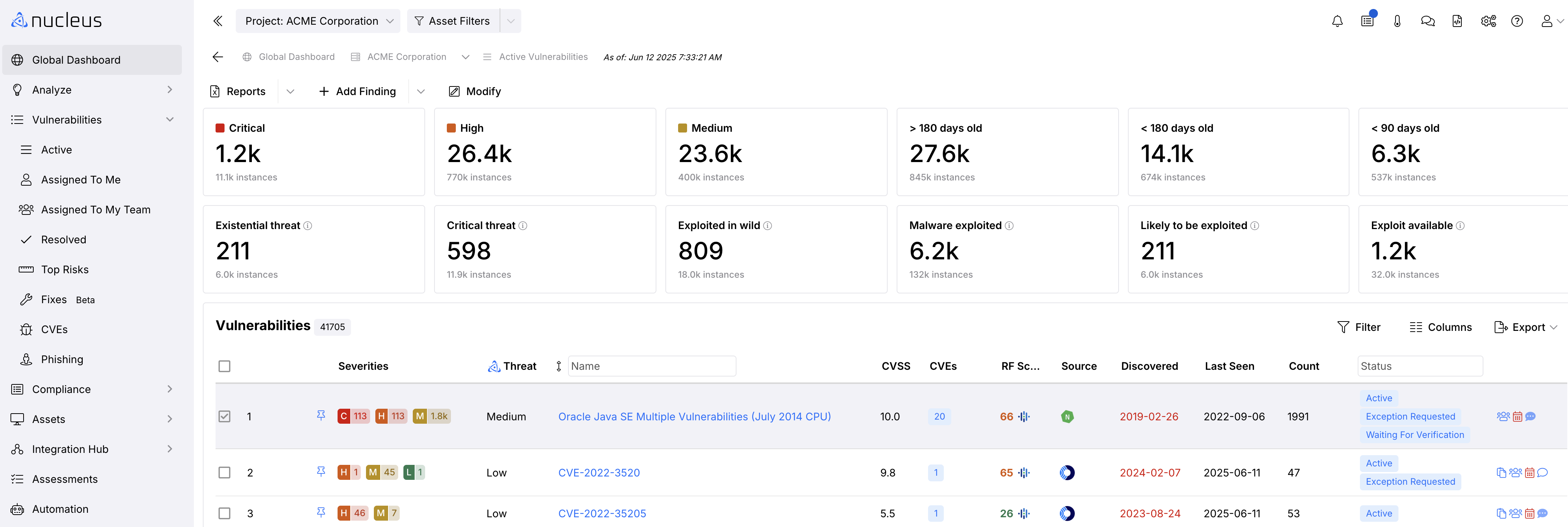
Navigate to Global Dashboard > Select your project > Vulnerabilities > Active page.
-
In the vulnerability list Click the vulnerability you want to update. A new page will open showing vulnerability details.
- In the Vulnerability Information view, Click Change Status and select a status from the drop-down menu. Click the desired status and you're done!
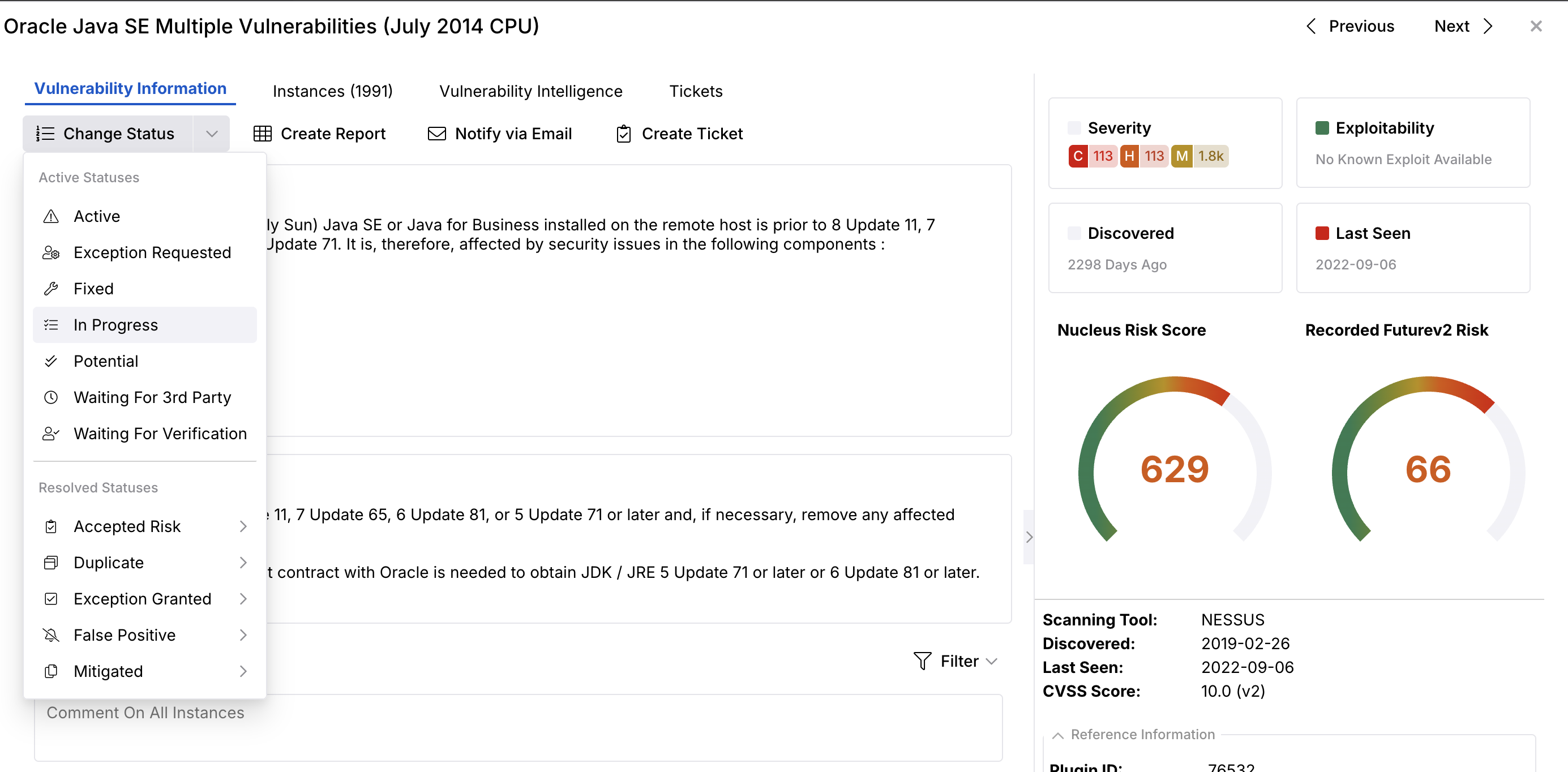
The status you select will persist in Nucleus until you change it again.
If you have any questions, please contact us through the support center.