Overview
Vulnerability scanners don't have the whole picture, and Nucleus gives you the ability to change the severity of findings manually to suit your environment, in order to aid in tracking and managing vulnerabilities. If you want to change the severity of a finding within Nucleus, you can do so in the following way:
Edit severity on a finding
- From within a Nucleus project, navigate to the Global Dashboard > Select a project > Vulnerabilities > Active.
- Use the search or filters to locate the specific finding you want to update and Select the checkbox for the finding.
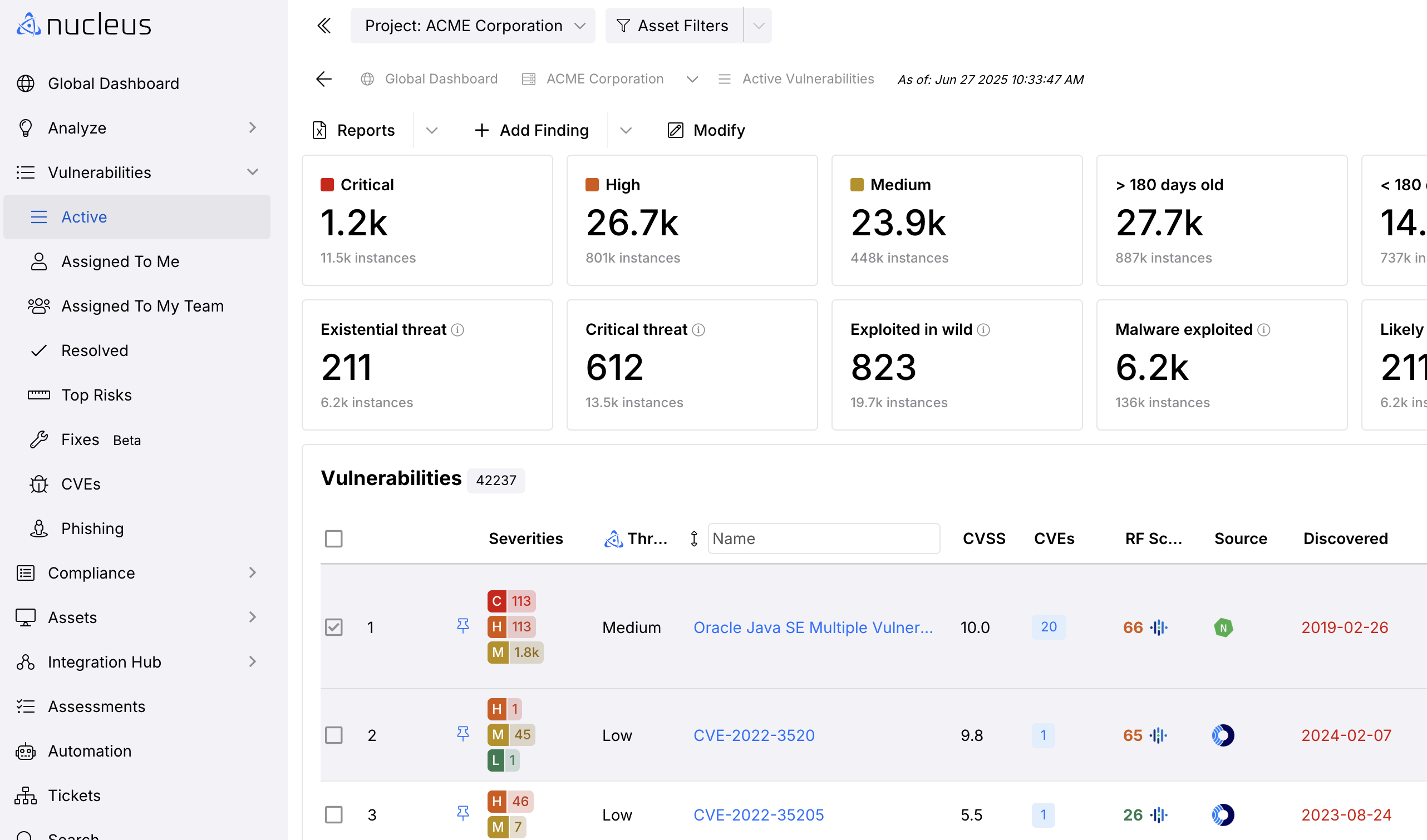
- Click the finding to open the Vulnerability Details page.
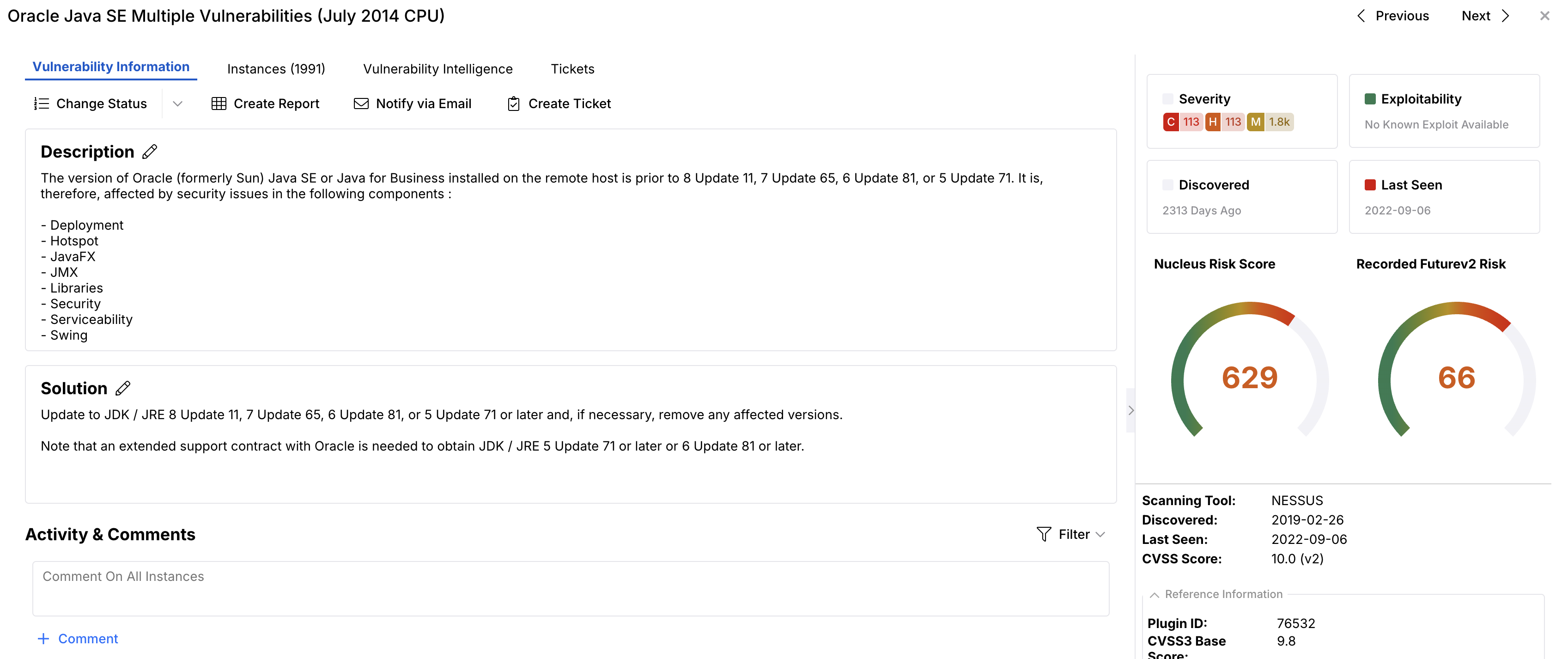
- Click the vulnerability you want to change and select the Instances tab. To change the finding severity of one or more findings, select the checkbox for each finding you want to change.
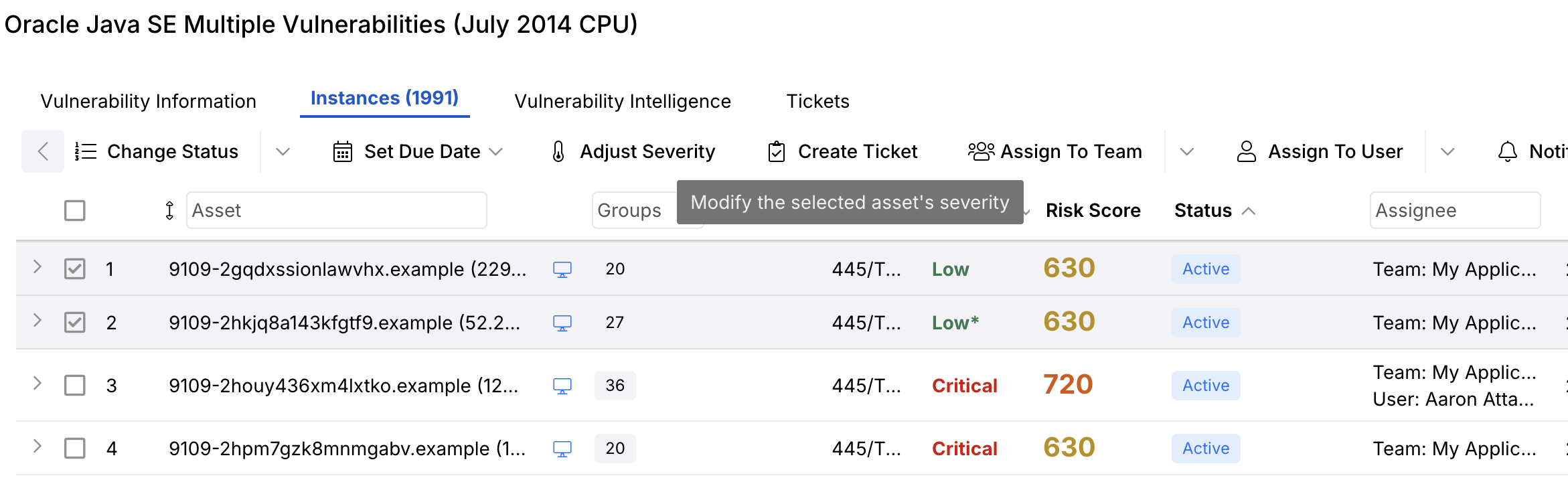
- Click the Adjust Severity button at the top of the columns and the Adjust Finding Severity pop-up modal appears. The finding name appears at the top of the pop-up modal.
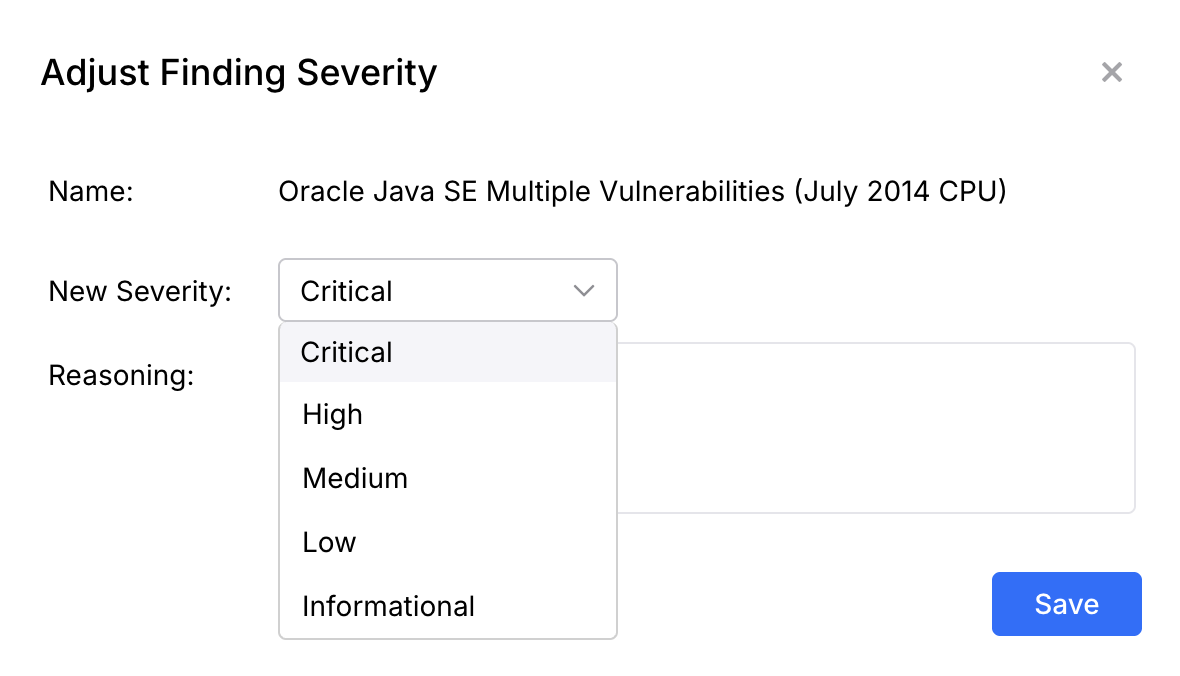
- Select the correct New Severity level from the drop-down, and optionally enter a Reasoning comment about why the severity is being changed
The finding's severity has now been changed! As with status and other finding attributes, severity will persist even when new scan data pertaining to that finding has been uploaded.
Note
The same process can be repeated for findings you want to change back to their original severity.
If you have any questions, please contact us through the support center.