Overview
Nucleus ingests vulnerabilities on containers at the image level, and includes data on each container image's repository. Some customers may wish to track all vulnerability instances on container images at the repository level, for easier workflow management and reporting.
Nucleus offers the ability to set statuses on vulnerabilities on container images and have that status apply to all vulnerability instances on images in the same repository. Similarly, when ingesting scans with container image vulnerabilities, Nucleus will set the status of newly ingested container image vulnerabilities to match the status which has been set manually by users on any other instances of the same vulnerabilities on other container images in the same repository.
How it works
- Instances of the same unique vulnerability on container images in the same repository will match the status of existing instances upon ingest, and
- The status of vulnerability instances of the same unique vulnerability on container images in the same repository will update when the status of one is changed by a user.
For additional clarity, consider the following scenario, represented by the diagram below. For more information on the relationship between unique vulnerabilities and vulnerability instances, refer to this help article.
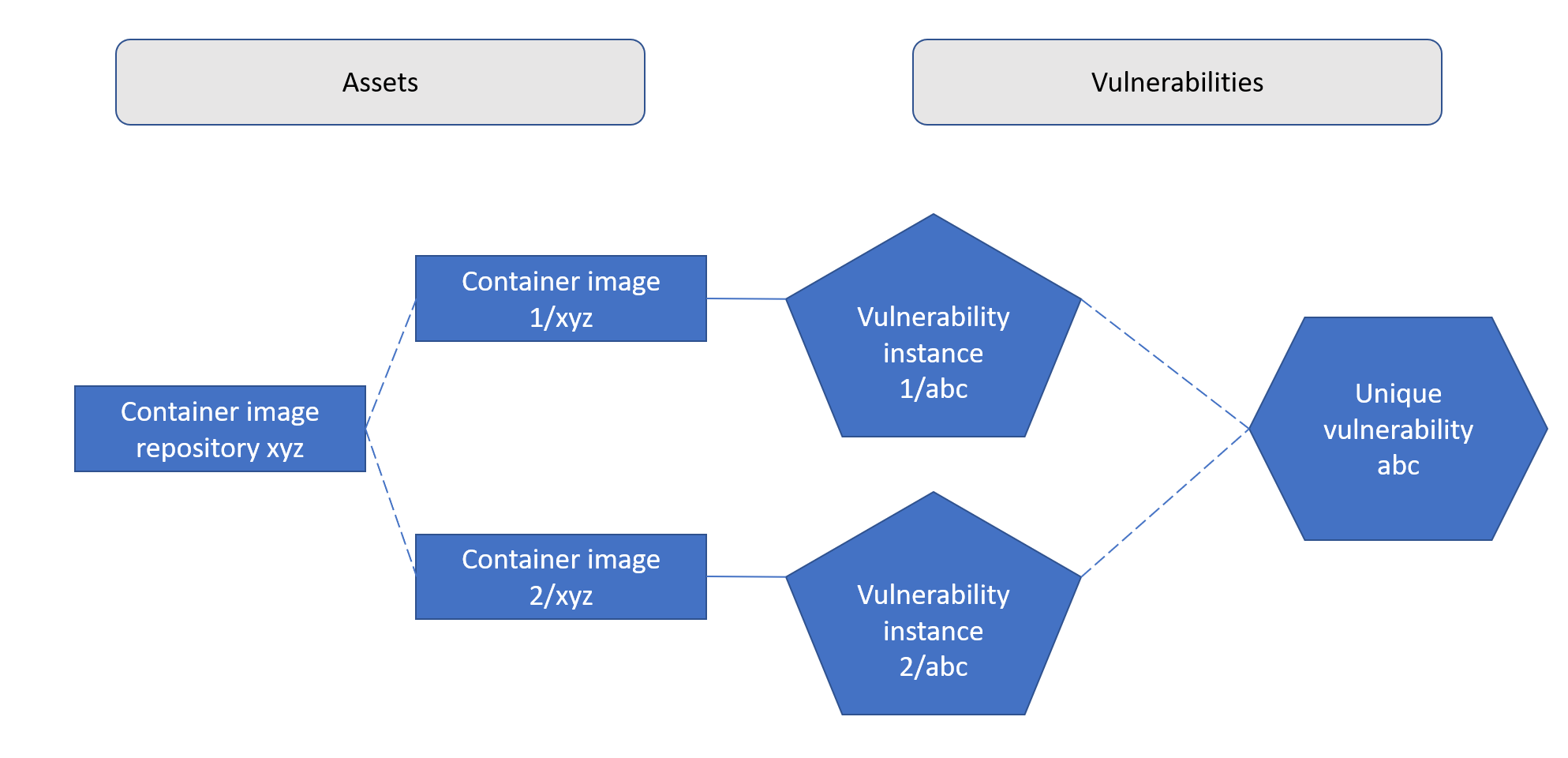
When a scan of container image 1/xyz is uploaded, vulnerability instance 1/abc is ingested with the status Active.
If a user sets the vulnerability to status: In Progress, then ingests a scan of container image 2/xyz, the status of vulnerability instance 2/abc will be automatically set to In Progress since it is part of the same unique vulnerability (abc) and on an image in the same container image repository (xyz).
Thereafter, if a user sets the status on either instance, that status will update on both instances for the same reason. For example, if a user sets the status on vulnerability instance 2/abc as Mitigated, the status will apply to vulnerability instance 1/abc as well and it will show as Mitigated. Of course, if a third instance of the same vulnerability on another image in the same repository is uploaded, it will be automatically set as Mitigated as well.
Other scenarios
- The above behavior applies to statuses set by automation as well as manually
- The above behavior applies to statuses utilizing status expiration functionality, and the fallback/reverted to status as well
- If there are multiple statuses on multiple vulnerability instances on container images in the same repository (which could occur, for example, when this functionality is activated for the first time) the status on newly ingested matching vulnerabilities will be set to that of the most-recently manually updated vulnerability.
In-app views
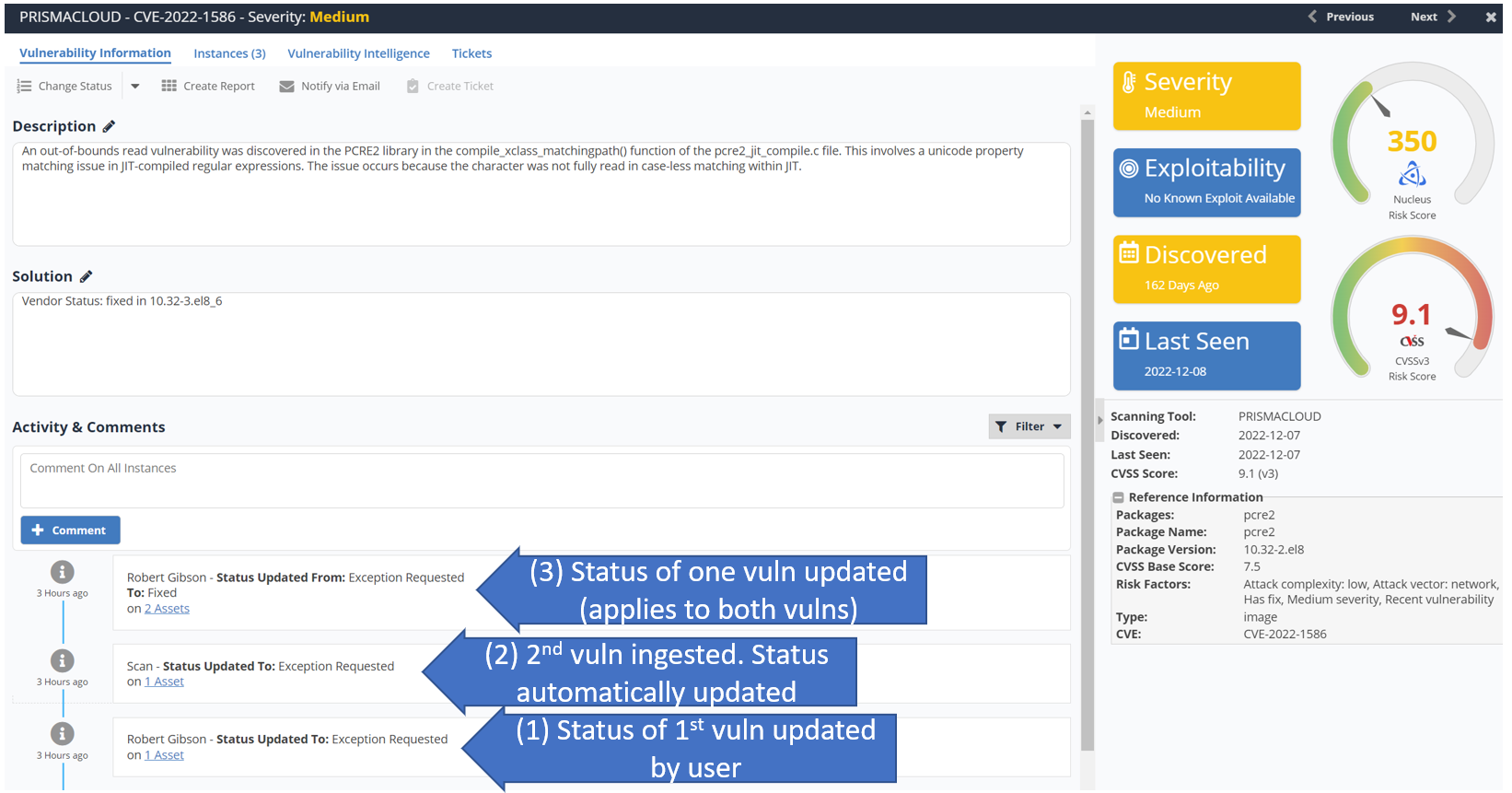
Statuses will be updated automatically at ingest and changes will be represented in comments on the unique vulnerability. Status changes made by users will be represented in the comments as well.
The following representation shows how this would look when:
- One vulnerability has a status updated.
- Then a second vulnerability instance on another container image in the same repository is ingested.
- Subsequently the status of one of the vulnerabilities is updated.