You’ve ingested your data. You’ve explored it. Now it’s time to act, but smartly.
In vulnerability management, what you fix matters just as much as how you fix it. Nucleus helps you avoid alert fatigue by showing not just what’s “high severity,” but what’s actually high risk in your environment.
This step helps teams move beyond raw CVSS scores toward context-driven prioritization using live threat intel, business context, and automation-ready workflows.
Choose Your Prioritization Strategy
Nucleus supports two complementary prioritization strategies:
Incident-Driven Prioritization (Live-Fire Mode)
Use this when:
A new ransomware campaign is in the news
Your red team or MSSP uncovers a critical exposure
Threat intel confirms weaponized activity in your stack
How to use it:
Navigate to the Active Vulnerabilities Page
Filter by:
nucleus_exploited = truenucleus_risk_score >= 700cisa_kev = true
Add context: asset criticality, internet exposure, last seen
Create a Saved Search or generate a report to share with stakeholders
Use the Automation Engine to tag, escalate, or assign based on risk score or exploitability
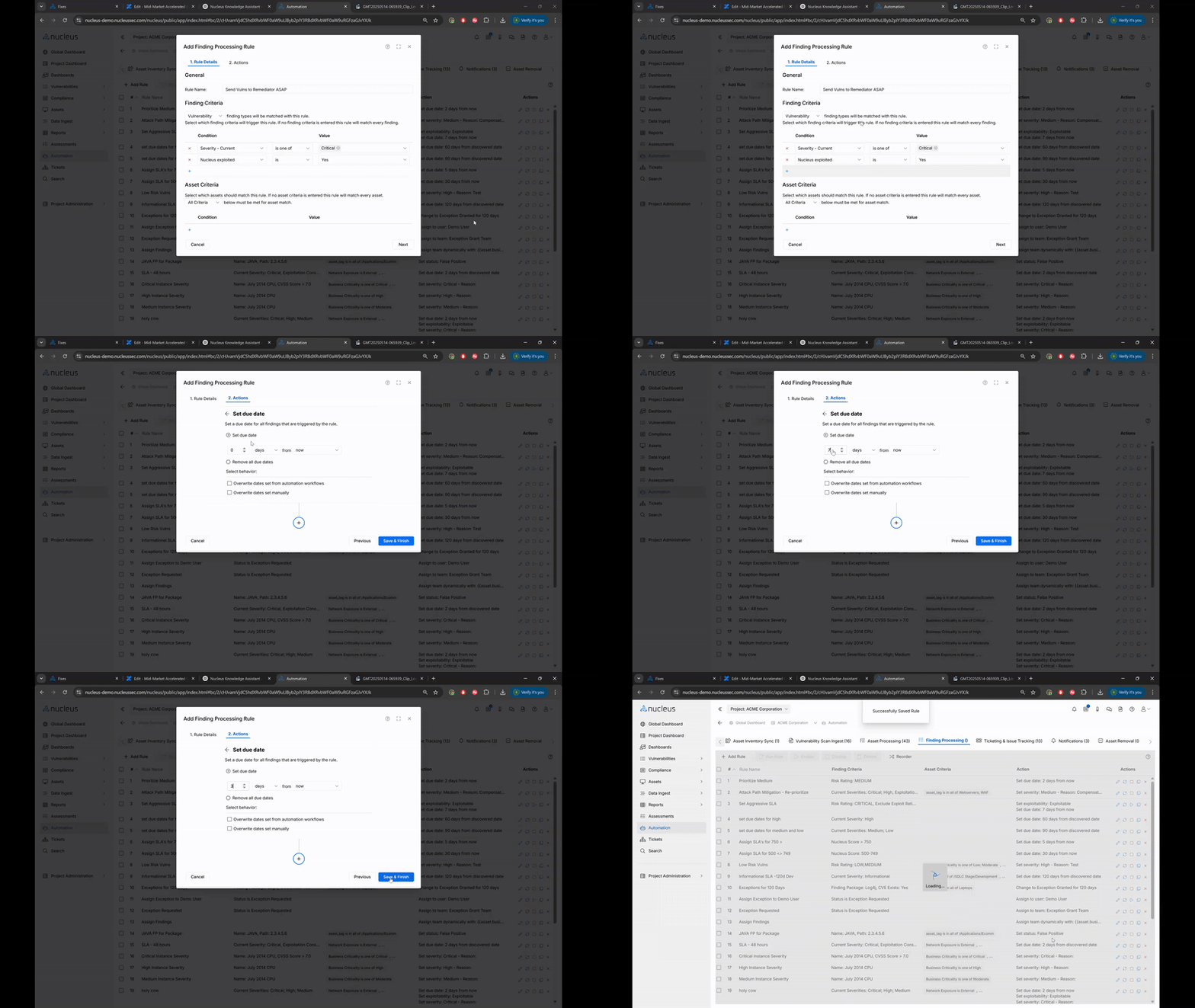
This mode is ideal for fast-moving response scenarios where speed + accuracy are critical.
Security Hygiene Prioritization (Long-Term Risk Reduction)
Use this when:
You want to drive down total vulnerability volume
You’re looking to reduce mean time to remediate (MTTR)
You’re building a roadmap for sustainable remediation
How to use it:
Go to the Fixes Page in Nucleus
Grouped by:
Patch (same remediation applied to many findings)
Asset Group or Tag (e.g., "Windows 2016 Servers")
Look for “High ROI” patches: a single fix that remediates dozens or hundreds of findings
Sort by
affected_instance_countto find impactful fix bundlesExport a patch list or assign the Fix Group to a ticketing workflow
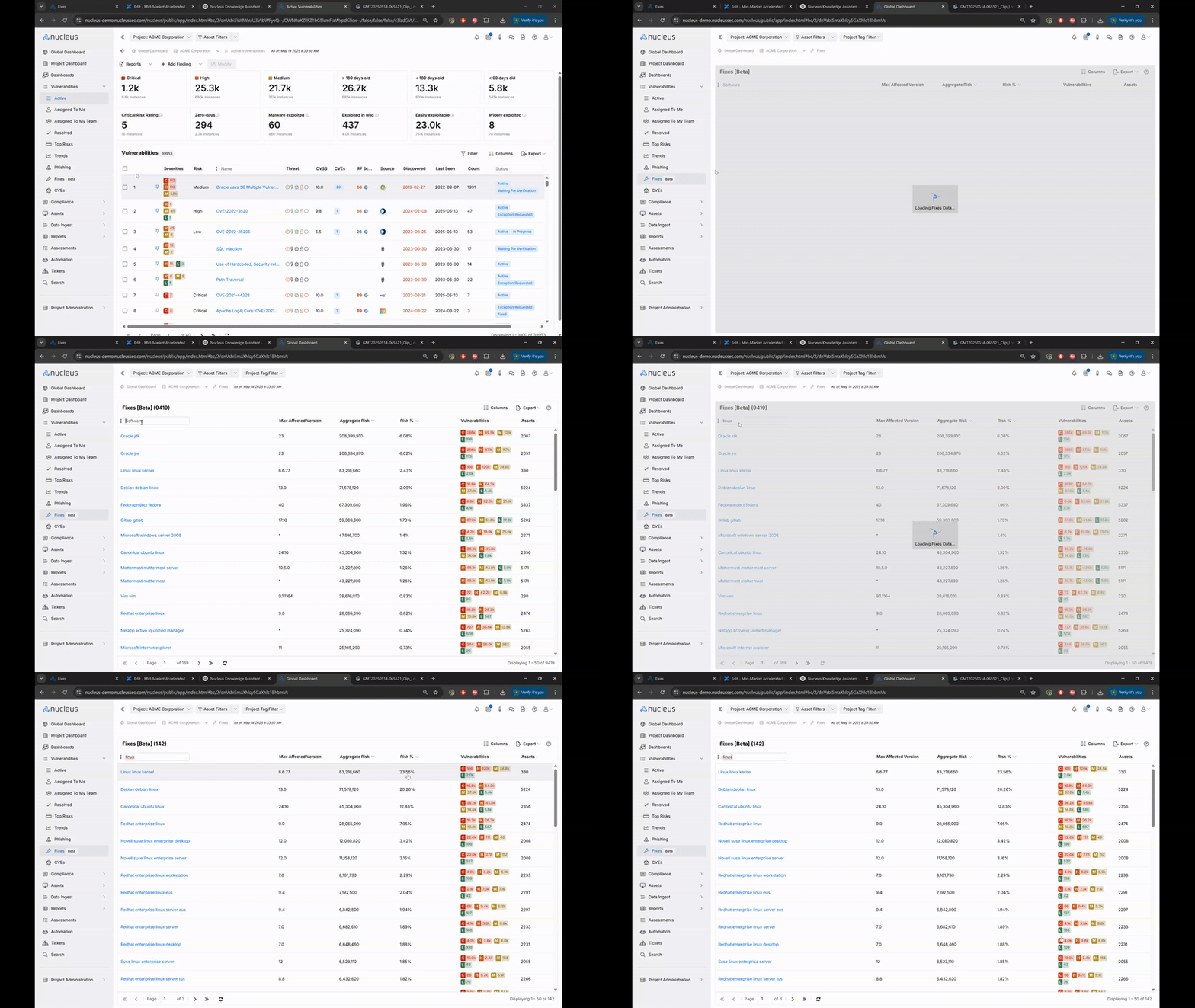
This method helps teams improve long-term posture without burning cycles on low-value work.
Why This Matters
For Security Analysts | For CISOs & Stakeholders |
|---|---|
Focus on what's exploitable and business-critical | Prioritize actions that reduce risk per dollar spent |
Cut through scanner noise | Back remediation efforts with data-driven prioritization |
Automate decision-making with saved filters & rules | Align patching and project timelines with risk trends |
Quick Links
What’s Next?
In Step 4, you’ll start routing vulnerabilities to the right people automatically: by ownership, severity, or business unit. It’s where prioritization meets action.
Need a hand? Let us know. We're happy to assist.
— The Nucleus Team ([email protected])